
Are you confident your child is truly safe while playing Minecraft, or could there be risks you’re overlooking in this seemingly innocent game?
Minecraft is often seen as a digital playground where kids can unleash their creativity, building worlds block by block. But as much fun as it is, this online environment comes with its own set of challenges that many parents may not fully understand. Are there any hidden dangers in the Minecraft universe that can put your child at risk.
Understanding Minecraft and online safety is the first step in ensuring your child can enjoy the game while managing the risks, however small they may be. In this article, we’ll explore what you need to know to protect your child’s online experience in Minecraft, giving you peace of mind while they play.
Minecraft is the world's best-selling video game. Kids love this blocky sensation for its unique, pixelated world. Let's explore why it's so popular. We'll also discuss how to keep kids safe while they play. Minecraft is great for kids aged 8 and up. It's a sandbox game where players build, explore, and survive. You can adjust settings to suit your child. This makes it perfect for different ages and preferences. Minecraft offers multiplayer modes where kids interact online. Don't worry, there are ways to make this safe.
We'll cover parental controls and kid-friendly options. These tools help ensure your child's safety while gaming.
Key Takeaways
- Minecraft is the top-selling video game, suitable for ages 8+
- The game offers adjustable settings for a safe experience
- Multiplayer modes require attention to online safety
- Parental controls are available to manage gameplay
- Minecraft encourages creativity and problem-solving skills
Understanding Minecraft: The Basics
Minecraft blends creativity and adventure, captivating players of all ages. Let's explore the game's basics and what makes it special.
What is Minecraft?
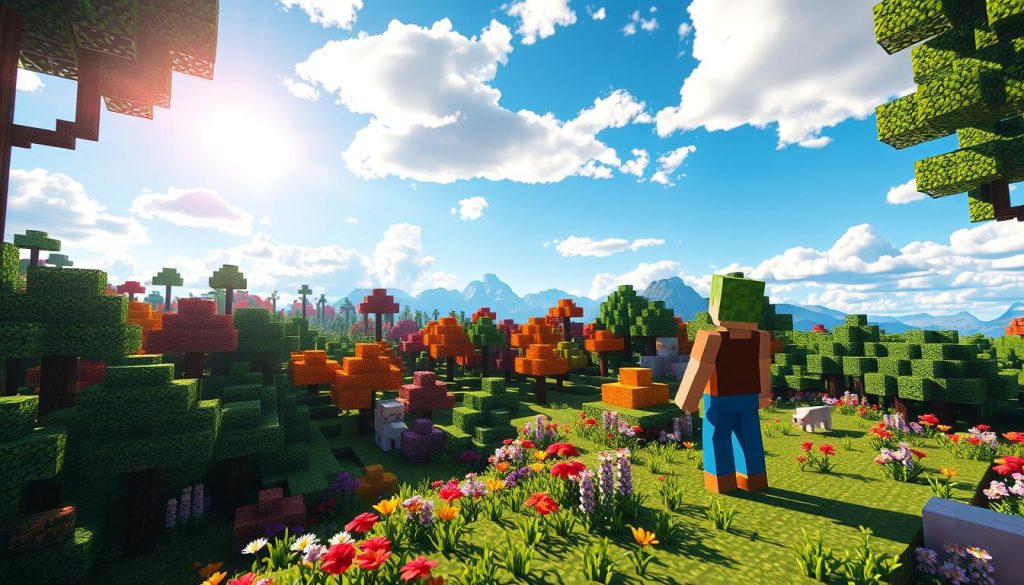
Minecraft is a sandbox game with a 3D world of blocks. Players build, explore, and survive in this digital LEGO-like universe.
The game's open-ended nature encourages creativity and problem-solving. It offers endless possibilities for players to express themselves.
Game modes and features
Minecraft offers two main game modes:
- Creative mode: Focus on building without limits
- Survival mode: Gather resources, craft items, and fend off creatures
Creative mode lets me build freely without threats. Survival mode challenges me to manage resources and stay alive.
Both modes provide unique experiences for different playstyles. Players can choose based on their preferences.
Age ratings and recommendations
Minecraft has a PEGI 7 rating and an ESRB Everyone 10+ rating. It's generally safe for kids 8 and up.
Parental guidance is recommended for online play. Consider the game's complexity and potential online interactions.
"Minecraft isn't just a game, it's a canvas for creativity and a tool for learning."
Minecraft inspires players worldwide with its educational value and engaging gameplay. It offers new challenges and creative opportunities at every turn.
The Educational Value of Minecraft
Minecraft education offers many learning chances for kids. It's a powerful STEM tool that sparks creativity and boosts problem-solving skills.
Minecraft's impact on education is clear. One U.S. class saw huge test score jumps after using the game.
Math scores rose from 18% to 84%. English scores went from 24% to 81%.
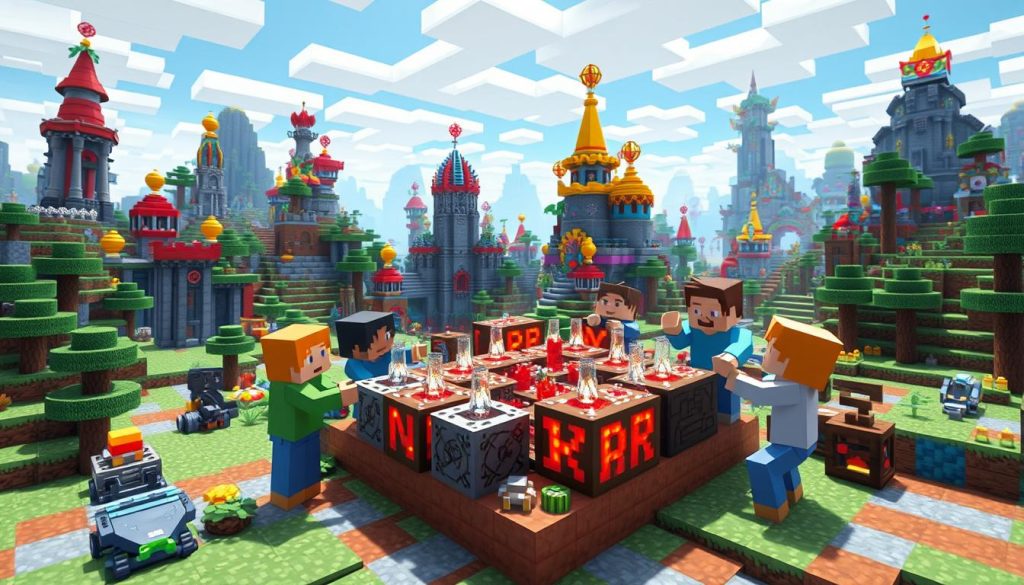
The game teaches kids useful skills like resource management. Children learn problem-solving as they build and explore in Minecraft.
- Promotes teamwork and collaboration
- Builds confidence through skill-sharing
- Encourages creativity and imagination
- Introduces coding concepts using Java
Minecraft works well for many subjects. The Museum of London used it to show the Great Fire of 1666.
This fun approach makes learning exciting for students.
"Minecraft helps children learn practical skills such as resource management, problem-solving, and critical thinking."
Over 7,000 classrooms worldwide use Minecraft. It's a strong tool for teaching STEM skills in the digital age.
Educators see its power to foster creativity while teaching key skills.
Minecraft and Online Safety: What Parents Should Know
Minecraft is hugely popular, with 173 million active monthly users. This brings both fun and potential risks for kids.
Potential Risks in Multiplayer Mode
Multiplayer mode can be risky. Kids might interact with strangers among the 140 million players.
Cyberbullying is a real threat in online games like Minecraft. It can badly affect kids and teens.
Chat Features and Stranger Interactions
Minecraft's chat lets players talk to each other. This can lead to unwanted conversations.
Minecraft now has tools to help. Players can report bad messages or behavior.
Parental Controls and Safety Settings
Minecraft offers safety controls for kids. These work in versions 1.16.4 and later.
Child accounts are for players under 16. Parents can manage game access and use safety tools.
- Parental controls are available on Nintendo Switch, PlayStation 5, and Minecraft for Chromebook
- A "Report a Concern" form exists for various issues
- Chat moderation tools help filter inappropriate content
Parents can make Minecraft safer by using these features. It's important to stay informed about safety tools.
Setting Up a Safe Minecraft Experience
Creating a secure Minecraft environment for kids is crucial. Start by making a Microsoft account for your child.
This lets you manage family settings and control their gameplay.
When setting up child accounts, I focus on these key areas:
- Multiplayer access control
- In-game purchase limitations
- Screen time restrictions
For better safety, play offline or on private servers. This limits contact with strangers.
Family settings in Minecraft offer great tools for parents. You can whitelist approved players for your child.
Hostinger and Apex Hosting provide easy setup for servers.
Teaching kids about online safety is important. Here's what to cover:
- Not sharing personal information
- Handling uncomfortable situations
- Respecting others online
Join your child in Minecraft to understand their interests. Set clear rules for server conduct.
"Setting up a dedicated Minecraft server creates a safe digital playground for children to explore and learn while ensuring peace of mind regarding online safety."
These strategies help create a secure Minecraft experience. Your child can have fun safely.
Multiplayer Options: Realms, Servers, and Local Play
Minecraft offers many ways to play with friends. Let's explore safe online play and local multiplayer options.
These choices help parents pick the best experience for their kids.
Understanding Minecraft Realms
Minecraft Realms is a private server service. It's safe for up to 10 players.
Kids can invite friends without worrying about strangers. Realms need an Xbox Live account for extra security.
Public vs. Private Servers
Public servers can be fun but risky. They may expose kids to bad content.
Private servers are safer. Parents can set up their own or join trusted communities.
Official partners like CubeCraft use chat filters and have moderators.
Setting Up Local Multiplayer
Local multiplayer is the safest option. Kids play with friends on the same network.
It's easy to set up without internet. Parents can control multiplayer in game settings.
- Use Xbox Live parental controls to manage multiplayer access
- Set up player permissions in shared worlds
- Monitor and report inappropriate behavior
Child accounts under 13 have multiplayer blocked by default. Parents must allow it.
Choosing the right option ensures fun and safe Minecraft for kids.
Managing Screen Time and Minecraft Addiction
Minecraft captivates kids. Parents face challenges balancing gameplay with other activities.
Setting screen time limits is vital. It helps foster healthy gaming habits.
An hour of daily video games can benefit psychological adjustment. However, gaming addiction affects 3-10% of children.
Kids with ADHD may have a harder time transitioning away from video games compared to their peers.
To promote balanced gameplay, try these tips:
- Setting clear time limits for Minecraft sessions
- Encouraging regular breaks during play
- Planning fun offline activities as alternatives
- Modeling healthy screen habits as a family
Talk openly about gaming habits. Discuss the risks and benefits of Minecraft.
This helps kids understand the need for limits. Minecraft can boost creativity when played in moderation.
Create a healthy gaming environment. Help children enjoy Minecraft responsibly.
This approach can prevent excessive screen time issues.
Minecraft's Impact on Creativity and Problem-Solving
Minecraft boosts creativity and problem-solving skills since 2011. It's more than just fun, it's a platform for new ideas.
Building and Design Skills
Minecraft lets players build and explore virtual worlds freely. Its block system helps improve spatial skills, important for STEM fields.
Resource Management and Planning
Survival mode turns Minecraft into a problem-solving game. Players gather resources and plan carefully, improving critical thinking skills.
Collaborative Projects and Teamwork
Multiplayer mode shows the power of working together. Players team up on projects, sharing ideas and tasks.
This builds teamwork and improves communication. It can even help develop leadership skills.
"Minecraft has influenced education by providing a platform for interactive learning, making it a valuable tool for developing STEM skills."
Minecraft makes learning more fun with virtual trips and math challenges. Updates and mods keep it exciting and useful for modern skills.
- Promotes creativity and imagination
- Enhances problem-solving abilities
- Fosters collaboration and communication
- Boosts technical and digital literacy
Minecraft greatly impacts creativity and problem-solving. It's shaping future innovators, making it valuable for fun and learning.
Addressing Violence and Combat in Minecraft
Parents often worry about violence in Minecraft. The game has combat, but it's not very intense.
Minecraft's graphics are blocky and cartoon-like. This makes any fighting less scary for kids.
Survival mode has enemies and player fights. The fighting is simple with no blood.
- Discussing in-game violence with your child
- Setting appropriate difficulty levels
- Using Peaceful mode for younger players
- Monitoring multiplayer interactions
Minecraft is rated for kids 7 and up. It's mostly about being creative and solving problems.
Most children 8 and older can enjoy Minecraft safely.
"Open communication and the use of available tools can help ensure children enjoy online gaming safely."
Minecraft has tools for parents to control the game. You can limit multiplayer and change chat settings.
These options help make Minecraft safe for your child. You can create a fun environment they'll enjoy.
Minecraft Mods and Add-ons: Benefits and Precautions
Minecraft mods and add-ons can make gameplay more fun. They can also add learning value to Minecraft.
There are over 100,000 mods on CurseForge. That's a lot to explore!
Popular kid-friendly mods
Kid-friendly add-ons can make learning more fun. Many mods add new educational content or game features.
Some teach coding languages like Python and Java. These mods help make Minecraft a top-selling video game.
Ensuring mod safety
Safe modding is key when exploring Minecraft mods. Always download from trusted sources and use antivirus software.
The Forge Mod Loader helps run multiple mods at once. Most mods are free, made by Minecraft fans.
Managing in-game purchases
In-game items like skins are optional. The base game costs about $26.95 for Java Edition.
The mobile version is around $6.99. Parents can control purchases through account settings.
It's about balancing fun and money in Minecraft's blocky world!
FAQ
What is Minecraft?
Minecraft is a sandbox-adventure video game for kids 8 and up. It has creative and survival modes with blocky graphics.
Players can explore and build in single-player or multiplayer modes.
What are the educational benefits of Minecraft?
Minecraft boosts creativity, problem-solving, and spatial reasoning skills. It can teach math, science, and history.
The game helps with resource management, planning, and teamwork.
What are the potential risks in multiplayer mode?
Multiplayer mode may expose kids to inappropriate content and strangers. Chat features allow players to talk to each other.
How can I set up a safe Minecraft experience for my child?
Create a Microsoft account for your child and use family settings. This helps manage multiplayer access and control in-game purchases.
You can also set screen time limits. Try offline mode or private servers to limit stranger interactions.
What are the different multiplayer options in Minecraft?
Minecraft has Realms (private servers), public servers, and local multiplayer. Realms are controlled, while public servers can be risky.
Local multiplayer lets kids play safely with friends on the same network.
How can I manage screen time and prevent Minecraft addiction?
Set clear time limits and encourage breaks from the game. Balance gaming with other fun activities.
Watch for signs like neglecting duties or getting upset when not playing.
How does Minecraft impact creativity and problem-solving skills?
Minecraft helps kids design and build complex structures. This improves spatial awareness and architectural thinking.
Survival mode develops planning skills. Multiplayer projects boost teamwork and communication.
How is violence and combat handled in Minecraft?
Minecraft has mild combat with no blood or gore. Players can choose peaceful mode to remove hostile mobs.
The game's cartoonish style helps lessen the impact of violent elements.
What are Minecraft mods and add-ons, and how can I ensure their safety?
Mods and add-ons can make gameplay more fun and educational. Download from trusted sources and use antivirus software.
Manage in-game purchases like skins and texture packs through account settings.