
Remember the feeling of stepping into a new classroom at the beginning of the school year? The anticipation, the excitement, and maybe a little bit of anxiety as you wondered what challenges and adventures lay ahead. Now, imagine giving students that same sense of wonder and excitement every day, not just on the first day of school. Setting up Minecraft for classroom success is more than just integrating a game into the curriculum; it’s about creating an environment where learning becomes an adventure, where each student feels empowered to explore, create, and grow.
Think about the times when you’ve seen your child’s eyes light up as they discover something new in Minecraft, that moment when everything clicks, and they realize they’ve just learned something powerful. Now, imagine bringing that moment into the classroom, where each student can experience the joy of learning through play. By setting up Minecraft for success, you’re not just preparing a lesson; you’re crafting an experience that can inspire and engage every student, turning the classroom into a place where creativity and curiosity thrive.
Minecraft Education Edition blends fun and learning in classrooms. This game-based tool sparks creativity and engagement in students. Educational gaming teaches complex concepts effectively. Minecraft opens up possibilities in coding and storytelling. Starting with Minecraft in your classroom is easy. You can join the Minecraft education community regardless of your tech skills.
Minecraft is a powerful tool in STEM education. It offers unique chances for project-based learning and builds 21st-century skills.
Minecraft's open-world format sparks creative thinking. Students shape their virtual world, boosting problem-solving skills.
A study of 307 students showed high engagement with Minecraft: Education Edition. Teachers in six Queensland schools rated it highly.
The game builds teamwork and peer learning. Students join forces on projects, much like real-world teamwork.
This aspect of Minecraft supports connected learning. It focuses on fairness and social bonds.

Minecraft isn't just for computer classes. It's a versatile tool for many subjects.
In the Queensland study, teachers loved using Minecraft for math. Students enjoyed math more and felt more confident after playing.
"After using Minecraft for learning, students showed an increase in confidence in their math abilities."
Minecraft has 126 million monthly players. It offers a rich virtual world for learning.
The game appeals to young students. It nurtures key 21st-century skills.
Minecraft boosts engagement and learning outcomes. This makes it a valuable tool in modern education.
Minecraft: Education Edition transforms classrooms into vibrant learning environments. The starter kit on the resource page offers training videos, sample lessons, and starter worlds.
The Minecraft tutorial world helps you learn game mechanics and controls. Explore this world to build your confidence before classroom setup.

Consider starting with an after-school club as a pilot program. This lets you gain experience before full classroom implementation.
The Minecraft Teacher Academy offers courses to build your skills. These courses range from basics to advanced concepts.
Block Coding and Python Coding Academies teach programming through Minecraft. These 6-hour courses are great for those interested in coding.
Game-based learning fosters deeper analysis, resilience in the face of failure, quicker decision-making, and self-driven learning outside of class time.
Effective use of Minecraft in education requires planning. With these resources, you can create an exciting learning environment.
Setting up a Minecraft classroom needs careful planning. Success depends on clear goals, student motivation, and proper technology.

I start by outlining specific learning goals with Minecraft. This helps me focus on education while using the game's fun nature.
I've used Minecraft to teach math, art, and social studies. It works well for scale, design, and historical reconstruction.
Students love using Minecraft in class. They explore and build with great enthusiasm.
I encourage teamwork and peer learning. This boosts engagement and builds important social skills.
Good technology is key for a smooth Minecraft experience. I make sure all computers can run Minecraft: Education Edition.
For new users, I give keyboard maps. Setting up servers can improve team projects.
Minecraft is a great tool for many subjects. It helps kids be creative and solve problems.
Students also learn good digital habits while having fun. Minecraft makes learning exciting and rewarding.
Minecraft offers many lesson types to engage students. Demonstration lessons are a great start. I show the game on a screen to guide students.
Gaming lessons are more hands-on. Students play Minecraft and apply what they've learned. These fun lessons need careful classroom management.
Project-based learning lets creativity shine. Students work on long-term projects like recreating landmarks or designing cities. This method builds problem-solving skills and deep understanding.
The flipped classroom model works well with Minecraft. Students learn basics at home. Then, they come to class ready to work together.
Rotating these lesson types creates a well-rounded learning experience. Minecraft's flexibility allows it to fit into many subjects. It's a powerful tool for modern education.
Setting up a successful Minecraft classroom needs careful planning. Let's explore ways to create a positive learning space with this tool.
Creating classroom rules for Minecraft sessions is important. I work with students to make guidelines like our real-world classroom rules.
This helps students learn digital citizenship. It also gives them a sense of ownership in the virtual space.
A mix of structured activities and free play time works best. This keeps students engaged while reducing bad behavior.
I might give a specific building task. Then, I allow time for creative exploration within set limits.
Some students may not want to use Minecraft. Others might need consequences for misbehavior.
I prepare other assignments that match our learning goals. These could be research projects or hands-on activities.
"Minecraft Education Edition has transformed my classroom. It's not just a game; it's a powerful tool for teaching digital citizenship and fostering collaboration."
These strategies have created a Minecraft classroom where students thrive. They're learning problem-solving and communication skills while having fun.
Good behavior in this digital space improves overall classroom dynamics. It's amazing to see the positive changes.
Preparing Minecraft worlds before class is crucial for successful lesson planning. World customization creates engaging educational environments tailored to students' needs.
Adjusting game settings and planning student workspaces ensures smooth lesson flow. It also helps reduce technical problems during class time.
Educational map design aligns the virtual world with learning objectives. I craft landscapes and structures that support specific activities.
This approach enhances student engagement and creates meaningful learning experiences. Classroom Mode offers extra control to keep students focused during lessons.
Here are some steps I take when preparing my Minecraft world:
Investing time in world customization creates an immersive learning environment. This preparation ensures students enter a space ready for discovery.
When students log in, they're stepping into a world primed for educational growth. The effort pays off in enhanced learning experiences.
Configuring game settings is key for learning with Minecraft. We can tailor the experience by adjusting difficulty levels.
I set up 32 MinecraftEdu accounts at $14 each. This ensures every student has access to the game.
MinecraftEdu gives us control over gameplay settings. I can manage TNT use and game modes.
These changes help match the game to our lesson goals. They also keep students focused on learning.
The teacher machine server setup helps manage the classroom. It lets me watch student actions and guide them.
Minecraft Education Edition works on Windows 10, macOS, and iPads. This makes it easy to use on different devices.
I set clear rules for building in Minecraft Education. These are shared with students and parents.
We treat Minecraft as a teaching tool, not just a game. This creates a good space for learning.
A well-set up Minecraft classroom boosts creativity and teamwork. It also helps students think critically.
Mixing Minecraft with offline activities creates a lively learning space. Students engage through hands-on tasks and digital exploration.
Paper instructions help link Minecraft to traditional learning. Students solve math problems on paper before using them in the game.
This method strengthens curriculum integration. It helps students connect virtual experiences to real-world ideas.
I include breaks for students to share progress and challenges. These talks build problem-solving skills beyond the digital world.
Adding offline activities improves engagement and understanding. Students enjoy the mix of digital and physical tasks.
"Combining Minecraft with offline activities has transformed my classroom. It's amazing to see students transfer skills between virtual and real environments."
This blended approach works well in various subjects. History reenactments and science experiments are just two examples.
Balancing screen time with hands-on experiences creates well-rounded learning. This prepares students for future challenges.
Minecraft Education Edition creates exciting chances for collaborative learning. Students team up on virtual projects, building key skills for today's world.
Group projects in Minecraft help students tackle tough challenges together. They split tasks based on strengths, learning to value different views.
Teams might design eco-friendly spaces or solve math problems as one. This method boosts creativity and critical thinking skills.
Peer learning thrives in Minecraft classrooms. Skilled players often guide new ones, building a caring community.
This approach helps kids learn to communicate well. It's great to see them share ideas and learn from each other.
Minecraft teamwork teaches more than just school subjects. Kids learn to compromise, respect others' ideas, and talk clearly.
These lessons build social-emotional skills needed for future success. They're key for doing well in school and beyond.
Minecraft in class prepares kids for a future of teamwork and tech skills. It's a fun space that works for all learning styles.
Setting up Minecraft for classrooms can be tricky. Technical issues often top the list, but they're manageable with proper preparation.
I ensure at least 2GB of RAM per 10 players. This helps avoid lag and keeps students focused on learning.
Classroom management in a virtual world can be challenging. Clear guidelines and structured lesson plans are key to success.
I create engaging projects like build challenges. These activities boost participation and encourage teamwork and communication skills.
Balancing gameplay with learning objectives is another common issue. I develop assessment rubrics that align with curriculum goals.
These rubrics focus on skills and processes, not just the final product. I include self-assessment opportunities to help students own their learning.
Regular reflection and strategy adjustments are crucial. I base these on classroom experiences and student feedback.
Minecraft sparks creativity in students. It helps them solve problems in fun ways.
Students build structures and design cool things. This makes them think hard and come up with new ideas.
Minecraft lets students work together on projects. They learn to share ideas and work as a team.
This helps them talk better with others. They also learn how to get along with people.
Minecraft can teach many subjects at once. You can use it to learn about history and science.
It's great for math and writing too. Students can tell stories and build whole worlds.
The Minecraft: Education Edition website has lots of helpful stuff. You can find videos, lessons, and worlds to start with.
There's also a tutorial world to learn how to play. It shows you all the controls.
Make sure your goals match what you want to teach. Think about what students should learn by the end.
Plan activities that help reach these goals. Make them easy to see and measure.
Use Minecraft's fun parts to keep students interested. Let them be creative and work together.
Mix planned activities with free play time. This keeps things exciting for everyone.
You can show Minecraft on a big screen. Or let students play and learn at the same time.
Try long projects or flip the classroom. Each way offers something special for learning.
Ask students to help make rules for the Minecraft class. These should be like your regular classroom rules.
Talk about how to act and work together online. This makes a nice place to learn.
Set up the game before class starts. Plan where students will work and make groups.
Build your world to fit your lesson goals. Use Classroom Mode to control things better.
Classroom Mode helps you manage your Minecraft class. You can see where students are and change game settings.
It lets you watch how students are doing. This makes teaching in Minecraft easier.
Use paper handouts with your Minecraft lessons. Give students math problems or writing tasks to do.
Take breaks to talk about progress. Let students work together outside the game too.
Have students work on big projects together. Pair up new players with those who know the game.
Use Minecraft to teach teamwork and good talking skills. Set goals for groups to reach.
You might have tech problems or trouble keeping students focused. Plan your lessons well and be ready to fix issues.
Have backup plans ready. Ask students what works and change things if needed.
There’s something deeply special about the moments when our kids work together, their minds in sync, building something bigger than themselves. Think back to the times you worked on a group project, whether in school or with friends. The shared laughter, the occasional disagreements, the thrill of seeing your collective efforts come to life—those memories stick with us because they’re about more than just the project. They’re about connection.
Now, imagine your child experiencing that same sense of collaboration and accomplishment in the world of Minecraft. Collaborative Minecraft projects aren’t just about constructing digital structures; they’re about building teamwork, communication, and problem-solving skills. When kids come together to create something in Minecraft, they’re not just stacking blocks—they’re learning how to collaborate, how to listen, and how to turn individual ideas into something extraordinary. And as parents, we get to witness these moments, knowing that the skills they’re developing will serve them far beyond the screen.
Minecraft is reshaping education globally. This beloved game has become a powerful digital learning tool for 238 million players worldwide. Since 2014, Minecraft's reach has grown across many platforms. It's now a top resource for teachers and students.
Minecraft: Education Edition launched in 2016, changed game-based learning. It offers over 500 lessons in various subjects, created with NASA and WWF. This edition has teacher-friendly controls for classroom use. It's perfect for collaborative projects and educational purposes.
Minecraft's impact on global education is amazing. It's used by 35 million students and teachers in 115 countries. The platform helps develop key 21st-century skills. Students learn while having fun in an interactive setting.
Minecraft has grown from a simple game to a classroom tool. This change is a big step for Minecraft and educational gaming.
Minecraft is hugely popular, with 126 million players each month. It's also changing how we teach and learn.
In 2016, Minecraft: Education Edition launched. This opened up new ways for learning across different devices.

Microsoft bought Minecraft in 2014, which was a big deal. They kept the game easy to play on many devices.
Microsoft's education experts made Minecraft available to more students than ever. This move boosted the game's potential for learning.
Minecraft: Education Edition is now a hit in schools. It's used by 35 million teachers and students in 115 countries.
Sixth-grade students using Minecraft for math saw better final grades. The impact is clear and positive.
"Minecraft offers an immersive virtual world for learning, engaging students and providing an open, student-centered environment where the only limit is imagination."
Minecraft helps students be creative and work together. It lets them solve problems and think critically.
Students can change their world in the game. This makes learning fun and effective.
Global education challenges persist in marginalized communities. I've seen how the digital divide affects students worldwide.
Learning poverty is a big issue in low-income countries and rural areas.

UNICEF reports 1.3 billion children lack internet access at home. This gap hinders their ability to develop crucial future skills.
As an educator, I've seen how this inequality impacts learning chances.
Innovative solutions are crucial to address these issues. Using Minecraft in education can help bridge this divide.
In a project I led:
This approach engaged students and improved their digital literacy. We can use such tools to reduce learning poverty.
Quality education can be provided to all, regardless of background or location.
The UNICEF Learning Passport is changing lives. This digital platform fights learning poverty in marginalized communities.
The COVID-19 pandemic showed how important digital learning is. Over 1.5 billion students faced school closures.
The Learning Passport filled this gap. It gives quality education to those who need it most.

The Learning Passport works online, on mobile devices, and offline. Kids can learn anytime, anywhere.
It's great for areas with poor internet access.
The Learning Passport joined forces with Microsoft Community Training. This team-up boosted the platform's reach and impact.
In Italy, they trained 90,000 teachers to use digital tools. That's teamwork in action!
"Education is the most powerful weapon which you can use to change the world." - Nelson Mandela
The UNICEF Learning Passport proves this quote true. It's a ray of hope for millions of kids worldwide.
By closing the digital gap, it's creating a brighter future.
Your Future Academy is a new Minecraft UNICEF partnership. It tackles the global education crisis for kids without internet access.
The program uses Minecraft to teach important skills. Students learn problem-solving, creativity, and teamwork through fun games.
Your Future Academy trains teachers to use Minecraft. In Ghana, 30 teachers learned how to use it in class.
The goal is to reach 10,000 students this fall. This helps in Ghana, where many kids struggle with English and Math.
In Ukraine, 88 Digital Learning Centers have helped over 12,000 students. These centers give kids a safe place to learn and have fun.
Your Future Academy is not just about education; it's about preparing children for a digital future and providing socioemotional support in emergencies.
Your Future Academy helps kids learn valuable skills worldwide. It makes education more accessible and fun for students everywhere.
Minecraft transforms learning in amazing ways. It builds essential skills for the future.
This game is both fun and educational. Let's see how Minecraft shapes young minds.
Minecraft challenges players to think creatively. Kids learn problem-solving as they build and explore.
At Clemson University, students use Minecraft: Education Edition. They build 3D structures to improve their speaking skills.
Minecraft has over 100 million players worldwide. It's great for teaching teamwork.
Multiplayer modes help kids work together well. These skills are valuable in real jobs.
Minecraft teaches digital skills naturally. The game introduces basic coding concepts.
Many teachers use Minecraft's Code Builder for programming lessons. This helps students develop important tech skills.
"Minecraft Education Edition fosters collaboration skills that will benefit students in the long term."
Minecraft in schools gives students tools for success. It teaches problem-solving and tech skills.
This game creates creative and smart learners. They're ready for the 21st century.
Digital learning centers are changing education in Ukraine during the war. UNICEF Ukraine and local governments created these centers to help students keep learning.
The Learning Passport platform and Minecraft Education are key tools. They offer non-formal education and help with students' emotions during wartime.
These centers have made a big impact:
Technology is helping students learn despite the war. These centers provide digital resources and support students' emotions.
"Digital learning centers are a beacon of hope for Ukraine's youth, offering education and emotional support in the face of adversity."
New ways of teaching can help in war zones. Digital tools and emotional support are creating strong learners in Ukraine.
Ghana's education system faces big hurdles. Many fourth-grade students struggle with basic English and Math skills.
UNICEF and Minecraft have teamed up to help. They've launched a fun program on the Learning Passport platform.
The program uses Minecraft Hour of Code lessons. These lessons make learning both fun and effective.
The program aims to boost computational skills in high school students. It adds coding to the curriculum, improving digital literacy.
Students learn problem-solving while playing Minecraft. This helps them develop critical thinking skills too.
The initiative focuses on training teachers. Thirty head teachers and ICT Heads have learned about Minecraft Education.
The goal is to train 250 teachers. They plan to reach 10,000 students with this program.
This new approach to Ghana's education looks promising. It mixes game-based learning with teacher training.
The program aims to boost computational skills across the country. It's exciting to see how it might change education in Ghana.
Collaborative Minecraft projects are changing education. This approach mixes teamwork, projects, and virtual building in exciting ways.
Students love learning with Minecraft. It boosts their attention and improves real-world skills.
Minecraft helps students think better. It makes them more creative and better at solving problems.
Students learn to work as a team. Teachers see big improvements in how kids work together.
Minecraft offers many ways to learn. Kids can try simple tasks or complex building projects.
These projects teach more than just facts. They help students learn digital skills and teamwork.
"When pedagogy shifts to incorporate Minecraft classroom build challenges, disinterested students become engaged, contributing to STEM activities and fostering critical thinking skills."
Minecraft projects make learning fun and useful. They help students get ready for the future.
Game-based learning is changing education. Interactive education engages students better than traditional methods.
Minecraft, a popular game, is leading this educational change. Billions of kids play it worldwide.
Minecraft is a great tool for classroom learning games. Educators use it to create fun lessons.
Students learn easier with Minecraft. It makes schoolwork fun and helps them explore topics deeply.
Game-based learning improves more than just academic skills. It helps develop emotional intelligence and self-awareness.
Students learn to work together on projects. They also learn patience and better social skills.
Students learn without realizing it in Minecraft. They improve reading skills through in-game text.
Math, physics, and social sciences are part of the game. Students remember more when they learn through games.
"Students find it easier to learn with Minecraft, making work more fun and enabling them to go further with new topics."
Minecraft greatly impacts education. It encourages teamwork, critical thinking, and problem-solving.
Game-based learning tools like Minecraft will shape future education. They offer exciting ways to learn.
Minecraft is changing how we teach core subjects. Students learn math and science by building and crafting in the game.
Kids recreate history and explore cultures in Minecraft's world. This brings social studies to life.
The game improves reading and writing skills. Students work together and read in-game text.
Math scores rose from 18% to 84% in one class. Minecraft also reduced student absences by 25%.
Over 7,000 classrooms use Minecraft worldwide. It boosts spatial reasoning, geometry knowledge, and coding skills.
Minecraft makes learning fun for all ages. It will keep shaping how we teach core subjects.
Minecraft builds key skills for the 21st century. It enhances problem-solving, creativity, teamwork, and digital know-how through fun gameplay.
Students dive into interactive learning across many subjects. This makes education more engaging and exciting.
Minecraft teaches math, social studies, and language arts in a fun way. Teachers can create custom lessons to make learning more interesting.
The UNICEF Learning Passport helps provide quality education to underserved communities. It works with Minecraft's Your Future Academy to offer tailored, interactive lessons.
Game-based learning, like Minecraft, grabs students' attention better than old-school methods. It boosts emotional growth and self-awareness while covering many school subjects.
In Ukraine, UNICEF set up Digital Learning Centers with local governments. These centers offer the Learning Passport and Minecraft Education content in Ukrainian.
This program provides non-formal education for students affected by the war.
UNICEF and Minecraft are helping Ghanaian students improve English and Math skills. They use Minecraft Hour of Code lessons through the Learning Passport.
This program aims to build computer skills among students in Ghana.
There's a new way to make your Language Arts lessons as captivating as the latest adventure novel? Imagine turning your students into storytellers, where every block they place in Minecraft builds not just a structure, but a narrative that they create, explore, and share. It might sound like a dream, but this is the secret trick: integrating and teaching Language Arts with Minecraft can transform writing, reading, and comprehension into a dynamic and engaging experience.
Remember the thrill of getting lost in a good book as a child, the way the story would come alive in your mind? Now, picture your students feeling that same excitement, but with the added power of building their own stories in a virtual world. Whether they’re crafting a setting, developing characters, or even acting out scenes from classic literature, Minecraft offers endless possibilities for bringing Language Arts to life. It’s like giving your students a magic pen that writes stories in 3D, making every lesson an adventure they can’t wait to dive into.
Minecraft: Education Edition is changing how we teach language arts. This digital tool makes writing and storytelling more fun for students. It mixes interactive learning with regular lessons. This opens up new ways for kids to be creative.
The National Writing Project and Minecraft made 10 cool lessons. These lessons focus on building worlds in the game. Students learn about writing through fun game activities. This new method speaks to kids who love technology. Students explore deserts to write stories. They also create characters and write dialogue in the game. The Denver Writing Project asked young experts to try these activities. They made sure the lessons were both fun and helpful.
Minecraft Education Edition is a game-changing tool for teaching. This virtual world opens up endless possibilities for digital storytelling.
Millions of students worldwide use it for game-based learning. Minecraft's diverse game modes spark imagination.
In "Adventure" mode, students explore and solve problems. "Creative" mode lets them build freely, designing worlds.
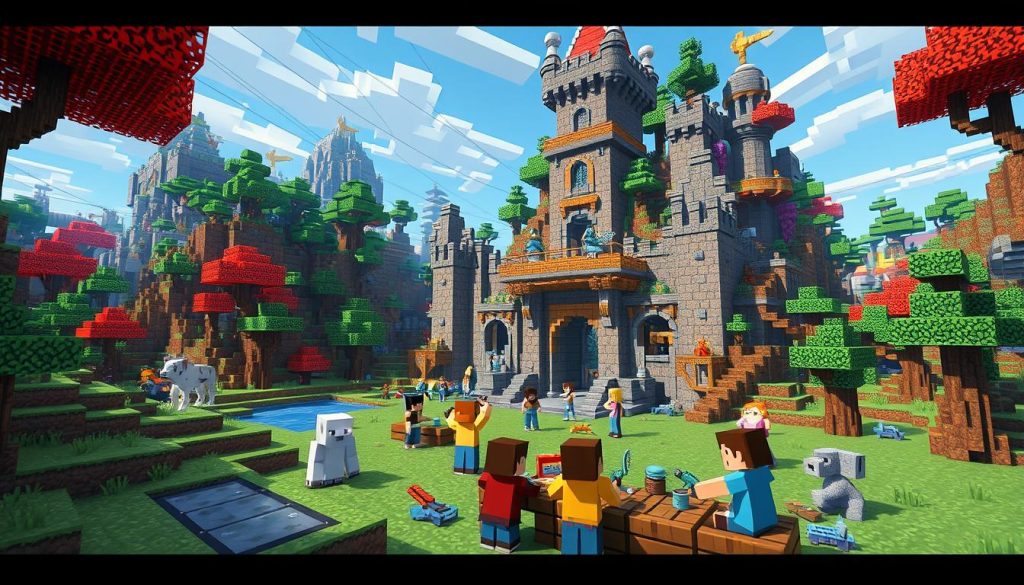
The game's versatility is amazing. Students recreate ancient civilizations and conduct virtual experiments.
In English class, we use Minecraft for narrative creation. It's a powerful educational tool.
Minecraft servers enable students to work together from anywhere. This feature has been invaluable for remote learning.
It creates a safe environment for students to flex their creative muscles. They can bring their stories to life.
Minecraft isn't just about building blocks; it's about building imagination, collaboration, and critical thinking skills.
Integrating Minecraft into lessons has increased student engagement. They're excited to write, create, and share their digital stories.
It's transformed my classroom into a hub of creativity. Students are more innovative than ever before.
Minecraft is an exciting way to teach language arts. This popular game is becoming a powerful tool in education.
Let's explore how Minecraft lessons are changing writing and storytelling teaching. Students can express their creativity through this unique platform.
Kids build virtual worlds and develop storytelling skills unknowingly. They create characters, settings, and plots in Minecraft.
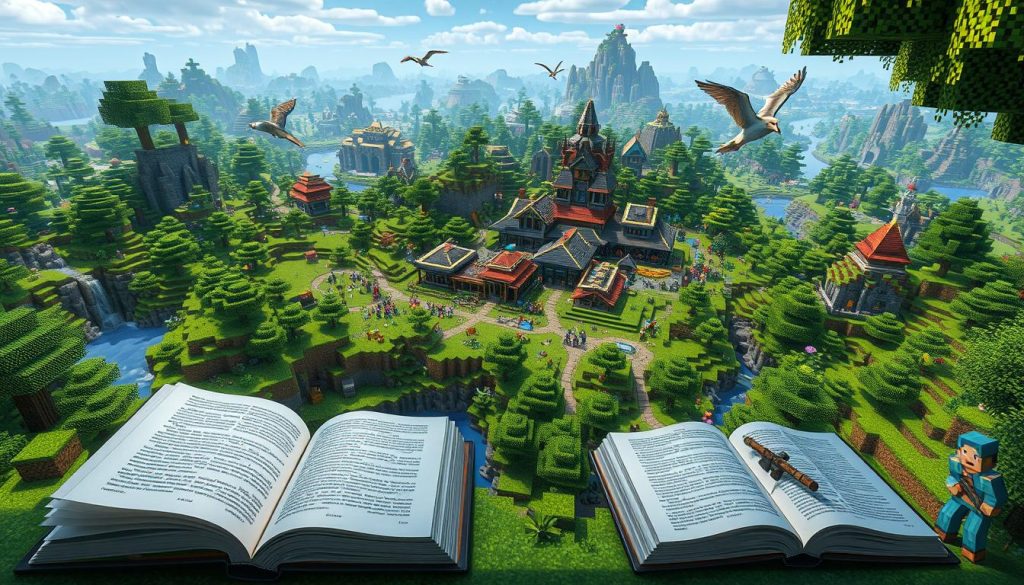
The National Writing Project sees Minecraft's potential. They've made 10 writing lessons using the game's world-building features.
Students don't just write stories - they live them. They can walk through their narratives and interact with characters.
"Minecraft allows students to step into their stories, making writing a truly interactive experience."
Gaming and writing combine to open new education possibilities. Students are more motivated when their stories come alive.
Minecraft boosts student writing skills in an exciting way. Its world-building features create unique chances for digital storytelling.
Students can now see and touch their story parts. This makes writing more fun and engaging.
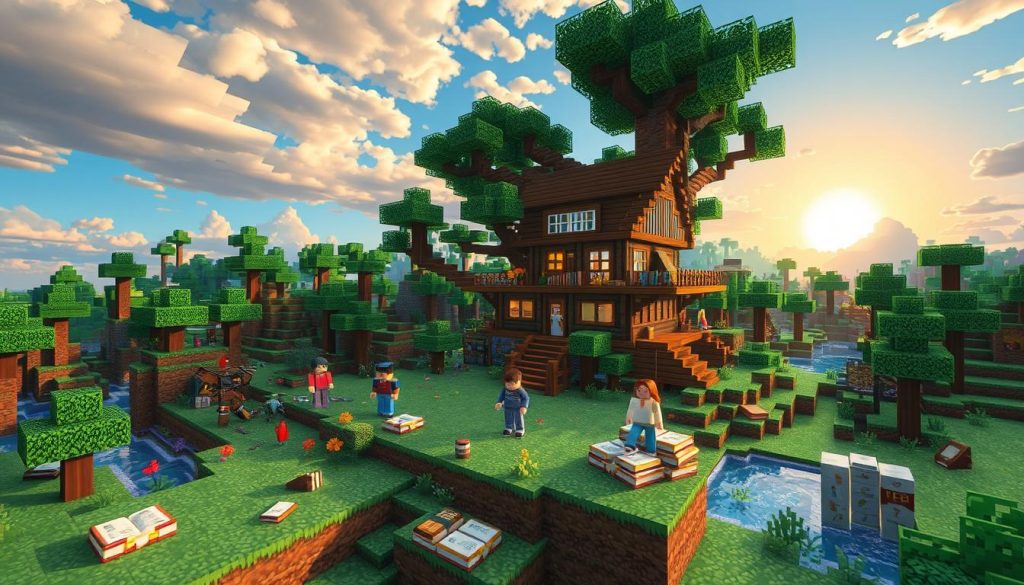
Jim Pedrech uses Minecraft's survival mode for fiction writing. His students play the game to help craft survival stories.
This method has shown great results. Students write more and feel proud of their work.
Minecraft helps students create rich settings, characters, and conflicts. They write in first-person, using vivid words inspired by their missions.
This hands-on world-building leads to more detailed stories. Students can easily describe their game experiences.
"I wrote more for the Minecraft tasks than any previous assignment I can remember. It was easy because I had so much to work with from my gameplay experiences."
Minecraft is a powerful tool for inspiring creativity. It offers a fresh way to build stories.
The game makes writing more fun and easy for students. They can explore and create while improving their skills.
Minecraft lessons blend gaming with language arts. These activities make narrative writing fun for students.
Let's explore some exciting options!
Students venture into a Minecraft desert biome. They use the vivid landscape to inspire their storytelling.
Character creation comes alive in Minecraft! Students design unique avatars and develop backstories.
This approach helps them understand character depth and motivation.
On a Minecraft island, students craft conversations between characters. They practice dialogue writing by role-playing different scenarios.
Students collaborate to create bizarre stories in the Minecraft world. It's a fun way to explore creativity.
These Minecraft lessons offer exciting ways to teach writing skills. By combining gaming with education, students engage with language arts.
Minecraft makes learning feel like play. It fosters a love for storytelling and creative expression.
Minecraft Education breathes new life into classic writing exercises. It turns ordinary assignments into captivating digital adventures.
This approach combines interactive learning with gaming's allure. It makes writing more engaging for students.
The "Where I'm From" poem activity is a standout example. Students explore virtual spaces that bring youth-written stanzas to life.
They craft their own verses and build Minecraft worlds. This merges creativity with technology.
A recent undergraduate seminar showcased this method's power. Seven out of 17 students chose Minecraft for their assignments.
A freshman created "Amari," a fictional 1939 African American dancer. This shows how digital platforms foster historical empathy.
Digital writing activities in Minecraft Education allow students to think like individuals from different time periods, creating an immersive learning environment.
This blend of writing and digital tools offers many benefits. It enhances engagement and promotes digital literacy.
It also encourages creativity and supports diverse learning needs. Instant feedback is another advantage.
Interactive Minecraft experiences transform writing exercises. They prepare students for a digital future.
This approach makes learning fun and memorable. It goes beyond teaching language arts.
Teaching poetry writing just got fun with Minecraft. The Six-Room-Poem Maze takes kids on a poetic journey in a digital world.
This maze brings poetry to life. It makes writing exciting for young authors.
Students explore six rooms in this Minecraft adventure. Each room focuses on a different part of poetry writing.
They learn about rhythm, rhyme, and imagery. This makes poetry less scary and more fun.
Students meet digital guides called NPCs in the maze. These guides give tips and ask questions about poetry.
This keeps kids interested and helps them remember better.
Students can take pictures in the game world. These snapshots give them ideas for their poems.
It helps them link what they see to what they write.
"Poetry is when an emotion has found its thought and the thought has found words." - Robert Frost
We mix gaming and poetry to make learning fun. This teaches poetry and boosts creativity in class.
Minecraft: Education Edition is changing how students learn together. This virtual playground creates many peer learning chances.
Kids team up on fun projects. They solve problems while building and exploring.
The game's multiplayer features work well in today's distant classrooms. Students from around the world can meet in Minecraft's blocky world.
They go on virtual field trips. They visit far-off places and historic sites from their desks.
Minecraft is great for all types of learners. Shy or outgoing, every child finds a place here.
The game boosts creativity and respect for others' ideas. This digital world builds real-world skills like talking and leading.
The numbers are impressive. Minecraft has 126 million monthly players for over a decade.
Its school version launched in 2016. A study found sixth-graders did better in math after Minecraft lessons!
Minecraft offers a platform for creative problem-solving, collaboration, and critical thinking in an open, student-centered learning environment.
Minecraft is shaping the future of education. It's a powerful tool for virtual teamwork and peer learning.
Minecraft's educational potential aligns with modern educational theories. The game's structure incorporates projects, peers, passion, and play.
This approach engages students across various subjects. It has shown remarkable success in the classroom.
Minecraft Education Edition offers a unique platform for project-based learning. It's available in 115 countries with over two million users.
Students work together, driven by their love for the game. This keeps them engaged, improving retention and critical thinking skills.
Minecraft's virtual worlds bring self-determination theory to life. The game's modes give students freedom and build skills.
Over 6,500 schools use Minecraft. This shows it's popular with teachers and students.
A survey of 89 future teachers found strong support for game-based learning. This backs up Minecraft's role in transforming education.
Minecraft: Education Edition boosts creativity, teamwork, and communication skills. The National Writing Project created 10 lessons on world-building to teach writing.
Minecraft lets students build digital worlds with various settings and creatures. This makes it perfect for creative writing and composition practice.
The National Writing Project made 10 world-building lessons for Minecraft. These link creative writing with gaming.
Lessons include desert settings for stories and character creation. Students also write dialogues about island adventures and play surrealist games.
Minecraft turns writing tasks into fun, interactive experiences. Students explore digital spaces showing youth-written stanzas.
They then write their own stanzas in the game. The Six-Room-Poem becomes a Minecraft maze with poetry writing tips.
Minecraft: Education Edition allows multiplayer games for team projects. This helps students work together, even when learning from home.
Minecraft lessons use Mitch Resnick's 4 Ps: projects, peers, passion, and play. They also use self-determination theory to motivate students.
Imagine a classroom where learning feels like an adventure, where every student is engaged, and where the lines between play and education blur into something truly magical. Think back to your own school days—how often did you find yourself daydreaming, wishing that the lessons could come to life? What if, instead of rote memorization and worksheets, you could have learned by exploring, creating, and discovering?
Now, picture your child in that kind of classroom, where Minecraft turns the educational experience into a dynamic, hands-on journey. Gamifying the classroom with Minecraft doesn’t just capture kids’ attention; it transforms how they perceive learning. It’s not just about building virtual worlds—it’s about fostering curiosity, encouraging collaboration, and making education something kids can’t wait to dive into each day. As parents and educators, we have the power to bring that excitement into the classroom, turning lessons into quests and students into eager adventurers on the path to knowledge.
Gamification in education is changing how we teach and learn. Over two-thirds of Americans enjoy video games. Educators are using this powerful medium to engage students. Minecraft, popular among kids and adults, is a revolutionary classroom tool. It makes education fun and boosts student engagement. Game-based learning improves outcomes. Using Minecraft in class increases motivation and problem-solving skills. It also improves collaboration among students. The virtual world has a real impact on education.
Gamification brings game mechanics into the classroom. It changes how we teach and learn.
This strategy boosts student motivation. It also makes digital learning more fun.
Gamification uses game elements in non-game settings. In education, it makes learning fun with points and badges.
Students can earn points for finishing homework. They unlock new levels as they move through a course.

Game-based learning offers several advantages:
Today's students are digital natives. They respond well to digital learning tools.
Gamification uses tools like Minecraft: Education Edition. It creates fun learning experiences.
"Gamification in education is not just about making learning fun. It's about creating an environment where students are motivated to learn, challenged to think critically, and engaged in the process of discovery."
Teachers need to adapt their methods. Gamification helps meet students' needs.
It turns the classroom into an exciting place. Students learn and grow while having fun.
Minecraft: Education Edition turns classrooms into exciting virtual learning spaces. This platform makes education fun by tapping into students' love for gaming.

Since 2014, Minecraft has become a powerful educational tool. It now promotes creativity, problem-solving, and teamwork.
Students thrive when given Minecraft projects. They work together to build, solve puzzles, and complete quests.
"Minecraft: Education Edition has revolutionized my classroom. Students are excited to learn and collaborate like never before," shared Ms. Johnson, a middle school teacher.
This platform is great for teaching many subjects. Students can recreate history or design eco-friendly cities.
Minecraft: Education Edition is shaping the future of learning. It's more than a game; it's a tool for modern education.
Minecraft turns learning spaces into exciting virtual worlds. It's a powerful tool for creative and problem-based learning.
Minecraft lets students build historical structures or design scientific experiments. Kids recreate ancient civilizations and conduct virtual physics tests.

Minecraft's open-ended nature sparks creativity. Students face challenges that require critical thinking.
They devise clever solutions to complex problems. From designing sustainable cities to solving math puzzles within the game.
Teamwork is key in Minecraft. Students work together on projects, sharing ideas and dividing tasks.
This mirrors real-world collaboration skills. Shy students open up when working on Minecraft team projects.
Over 5,000 schools participate in these courses annually. Students and teachers rate it 4.8 out of 5 in 20,000 yearly reviews.
"Minecraft turned my classroom into a buzzing hub of creativity and teamwork. It's amazing to see students so engaged in learning."
Minecraft courses are available in various European cities. Prices start at €480, with a maximum of 14 participants per course.
Don't miss this chance to revolutionize your teaching methods!
Minecraft transforms learning into an exciting adventure. It's a powerful tool that captivates students and makes learning fun.
At Greeneville Middle School, teacher Andrea uses Minecraft to revolutionize her classroom. Students build, explore, and solve problems in a digital world.
Here's what makes Minecraft so effective for boosting student participation:
Andrea's success with Minecraft has earned her special recognition. She's now a Microsoft Innovative Expert and Global Minecraft Mentor.
Her students show more interest in class. They also take charge of their own learning.
"Minecraft turns my classroom into an adventure. Students can't wait to dive in and start learning," Andrea shared with enthusiasm.
Gamifying the classroom inspires a new generation of learners. It prepares them to face real-world challenges with creativity.
Minecraft Education Edition equips students with future-ready skills. It fosters digital competence and collaborative learning in exciting ways.
Minecraft challenges students to think critically and make decisions quickly. In one lesson, students designed sustainable communities.
They considered resource management, environmental impact, and long-term planning. This hands-on approach sharpens problem-solving skills better than textbook learning.
Navigating Minecraft's virtual world boosts digital competence. Students learn to use complex interfaces and manage digital resources.
Struggling readers improve their skills through Minecraft's chat features. These offer speech-to-text functionality, helping students communicate more easily.
Collaborative learning thrives in Minecraft. The "Minecraft Global Project" brings together students from diverse backgrounds.
They build historically accurate structures together. This fosters communication, negotiation, and leadership skills essential for future careers.
"Minecraft promotes 21st-century learning traits such as creativity, collaboration, critical thinking, and problem-solving skills."
Minecraft in education prepares students for a digital future. It equips them with skills to thrive in an ever-changing world.
Minecraft is a powerful tool for cross-curricular learning. It allows teachers to blend subjects, creating an immersive educational experience.
The game offers endless ways to mix different school topics. Students can learn history, science, literature, and math all at once.
In history, students can build ancient cities. Science lessons turn into fun experiments in the game world.
Kids can create settings from books they read. Math skills grow as they build and manage resources.
Minecraft helps students use skills from many subjects together. They blend math, art, and history when building famous landmarks.
"Minecraft has revolutionized my teaching. It's amazing to see students apply concepts from multiple subjects in a single project," says Piia Martikainen, a Biology/Geography teacher from Finland who has been using Minecraft for nearly two years.
Game-based learning is growing fast in schools. The U.S. market hit $3.9 billion in 2021.
It's expected to reach $10.6 billion by 2026. This shows more teachers are using games like Minecraft.
Using Minecraft teaches more than just facts. It helps kids think, create, and work together better.
Minecraft transforms classrooms into powerful learning spaces. It boosts student achievement in measurable ways.
Minecraft helps students remember what they learn. Kids using Minecraft for story creation showed better reading skills.
Minecraft makes learning exciting for students. One school saw a 25% drop in absences after introducing Minecraft!
The game's impact on grades is impressive. Students learning fractions through Minecraft showed better test scores.
Elementary students improved their spatial skills using Minecraft. They created geometric shapes and gained more knowledge.
A review of 42 papers showed Minecraft's benefits. It helps in subjects like math, science, and history.
Over 6,500 schools worldwide use Minecraft Education Edition. It's changing how we measure educational outcomes.
"Minecraft emphasizes principles of effective learning by connecting to reality, promoting 'learning by doing' and experiential learning."
Educators should use tools that boost student achievement. Minecraft is a pathway to academic success.
Minecraft can change how classrooms work. But it has some problems to solve. Technical issues are often the biggest challenge.
Making sure all students can use Minecraft can be tough. Schools need good computers and internet to start using Minecraft.
Teachers need to learn how to use Minecraft too. At first, many feel lost in the game's world. But with practice, they see how much they can do.
A study showed that trained teachers create better learning spaces. Students also try harder when teachers know the game well.
Matching Minecraft with school lessons is tricky. It takes creative thinking and planning. Start by using Minecraft in one lesson at a time.
This way, you can fix problems and make sure Minecraft helps learning.
"The success of digital learning environments like Minecraft depends on students and teachers playing and learning together."
The good things about Minecraft make it worth using. It has tools to check how students are doing.
Students can play together, which helps them make friends. Minecraft is very popular, with over 200 million copies sold.
Minecraft can be a powerful educational tool. Let's explore ways to use it effectively in your classroom.
Start by defining specific learning goals for your Minecraft lessons. This ensures activities align with your educational objectives.
For history, students could recreate ancient civilizations in Minecraft. This reinforces understanding of architectural styles and social structures.
Structure lessons with clear instructions and checkpoints. This guides students through the virtual world.
Balance free exploration with directed tasks. It keeps students engaged while meeting learning goals.
Minecraft makes learning fun. Combine enjoyable gameplay with educational content.
In math, challenge students to build using specific shapes. This mixes creativity with mathematical concepts.
Regularly assess student engagement and learning outcomes. Use feedback to improve your lesson planning approach.
"Minecraft has transformed my teaching. It's amazing to see students so engaged while learning complex concepts."
Thoughtful planning and clear objectives are key. With these, you'll create a dynamic learning environment.
Minecraft has changed education. But the future of gamification is even more exciting. New technologies will change how we learn.
Virtual reality and augmented reality create immersive experiences. These were once just sci-fi dreams. Now, they're becoming real.
Educational innovation is moving fast. ClassCraft and Kahoot! are popular platforms. But they're just the start.
VR field trips and AR textbooks have great potential. Imagine walking through ancient Rome's streets. Or exploring the human body from inside!
The future isn't just about fancy tech. It's about smarter learning. Data analytics will help teachers customize lessons.
AI tutors could guide each child's education. As we move beyond Minecraft, gamification in education offers endless possibilities.
Gamification in education uses game elements in learning activities. It makes lessons more fun and motivating for students.
Gamification increases student engagement and improves knowledge retention. It also develops critical thinking, problem-solving, teamwork, and digital skills.
Minecraft: Education Edition is a game-based learning platform. It lets teachers create virtual learning worlds for students.
Minecraft lets teachers design quests and projects that match lesson goals. Students learn through creativity, problem-solving, and teamwork in a fun way.
Minecraft's open world keeps students interested in learning. They explore, discover, and do hands-on activities.
Minecraft helps students improve critical thinking and decision-making skills. They also learn digital skills, teamwork, and leadership.
Students solve problems, navigate virtual worlds, and work on group projects.
Yes, Minecraft can be used in many subjects. It works for history, science, literature, and math.
Students can recreate historical settings or build literary worlds. They can also model ecosystems and explore math through building.
Minecraft improves knowledge retention and increases student motivation. It also enhances academic performance through its hands-on approach.
Challenges include getting the right hardware and software. Teacher training and aligning Minecraft with lessons can also be tricky.
Teachers should set clear learning goals and design effective Minecraft lessons. They should balance fun and learning while keeping lessons focused.
Future gamification will use virtual and augmented reality for immersive learning. Data analytics will help create personalized lessons for each student.
Minecraft Heroes Adventure stories captivate players with their rich blend of magic, mystery, and camaraderie. The central narrative revolves around two main characters, Flash and Bones, who embark on a journey filled with challenges and epic quests. Their mission? To uncover Flash’s past, understand his magical abilities, and ultimately defeat the undead lord, Herobrine.
The series begins with Flash waking up in a mysterious world with no memories of who he is or where he came from. He quickly meets Bones, a brave and loyal village hunter. Together, they set off on an adventure to uncover the secrets of Flash’s past and the extent of his hidden magical powers.
Herobrine is the main antagonist in the series. An undead lord with a thirst for revenge, Herobrine’s dark influence and relentless pursuit of Flash and Bones drive much of the conflict in the story. His presence adds an element of danger and urgency to the heroes’ quest.
Magic plays a crucial role in the Minecraft Heroes Adventure stories. Flash discovers that he possesses hidden magical abilities, which are essential in his battle against Herobrine. The series also includes various magical items and ingredients that Flash and Bones must find to aid them in their quest.
Understanding the main characters is key to appreciating the depth and excitement of the Minecraft Heroes Adventure series. Each character brings unique skills and traits that contribute to the overall narrative.
Flash is the central character of the series. He wakes up with no memories of himself or the world he’s in. On his journey to discover his identity, Flash learns that he possesses powerful magical abilities. These abilities are crucial in his battle against Herobrine.
Bones is a village hunter who encounters Flash early in the series. Known for his bravery and loyalty, Bones becomes Flash’s closest ally. Throughout their journey, Bones undergoes significant character development, facing numerous challenges and growing stronger with each one.
Launa is a young witch’s apprentice who joins Flash and Bones on their adventure. She provides valuable knowledge about magic and assists them in their quest to defeat Herobrine. Her character adds depth and intrigue to the story.
Leetah the Wicked Witch is a pivotal character in the Minecraft Heroes Adventure series. She is the only one who can help Flash and Bones discover the truth about Herobrine's story, his revenge, and how they can stop him. Leetah's knowledge of magic and her mysterious background make her an intriguing and essential part of the heroes' journey.
The Bloodrock Mountains are one of the most dangerous and mysterious locations in the Minecraft Heroes Adventure series. Flash and Bones must navigate through treacherous terrain and face numerous challenges as they search for clues about Herobrine's past. The mountains are rumored to hold powerful magical artifacts that could aid in their quest.
Exploring the Bloodrock Mountains is no easy task. The heroes encounter hostile creatures, hidden traps, and other perils that test their courage and skills. Despite these dangers, the mountains also offer opportunities for growth and discovery, making them a crucial part of the adventure.
The final duel with Herobrine is the climax of the Minecraft Heroes Adventure series. After mastering his powers and gathering the necessary magical items, Flash faces Herobrine in a decisive battle. The outcome of this duel determines the fate of the world and concludes the central narrative arc.
This epic showdown tests Flash's abilities and the strength of his bond with Bones and their allies. It is a moment of high tension and drama, showcasing the culmination of their journey and the growth they have experienced along the way.
The Minecraft Heroes Adventure series is filled with exciting quests and objectives that drive the narrative forward. Each quest presents unique challenges and opportunities for the heroes to grow and develop their skills.
One of the key quests in the series involves finding magic ingredients for Leetah the Wicked Witch. These ingredients are crucial for a potion that can help defeat Herobrine. Flash and Bones must travel to various dangerous locations, each with its own set of challenges, to gather these ingredients.
Another significant quest involves defeating Agramon, a powerful creature that serves Herobrine. Agramon is a formidable opponent, and defeating him requires strategic planning and the use of Flash's magical abilities. This quest not only tests the heroes' combat skills but also their ability to work together as a team.
Successfully defeating Agramon brings the heroes one step closer to their ultimate goal of defeating Herobrine and restoring peace to their world.
The Creeper Canyon Quest is a thrilling adventure that takes Flash and Bones through a canyon filled with Creepers. These explosive creatures pose a significant threat, and the heroes must use their wits and skills to navigate the canyon safely. Along the way, they uncover valuable information and resources that aid them in their quest against Herobrine.
Playing through the Minecraft Heroes Adventure series can be challenging, but with the right strategies, players can master the game and enjoy the journey. Here are some tips and strategies to help you succeed.
One of the most important aspects of the game is mastering Flash's magical abilities. These powers are crucial for defeating enemies and overcoming obstacles. Players should focus on practicing and upgrading these abilities to ensure they are prepared for the challenges ahead.
Another key strategy is forming alliances and partnerships with other characters in the game. Allies like Bones and Launa provide valuable support and skills that can make a significant difference in difficult situations. Building strong relationships with these characters is essential for success.
Players may encounter various challenges while playing the Minecraft Heroes Adventure series. These can include difficult combat scenarios, complex puzzles, and navigating dangerous terrain. By staying patient, practicing regularly, and using strategic thinking, players can overcome these challenges and enjoy the game to its fullest.
The Minecraft Heroes Adventure series is rich with character backstories and development. Understanding these backstories adds depth to the narrative and enhances the overall gaming experience.
The Minecraft Heroes Adventure series is rich with character backstories and development. Understanding these backstories adds depth to the narrative and enhances the overall gaming experience.
Flash's journey to uncover his past is a central theme in the series. As he explores the world and faces various challenges, Flash gradually learns about his origins and the extent of his magical abilities. These revelations are often tied to key plot points and quests, making them integral to the story.
Flash's hidden powers are a source of intrigue and excitement. As he masters these abilities, he becomes a formidable force against Herobrine and other enemies. This progression not only adds depth to his character but also provides players with a sense of growth and achievement.
Bones undergoes significant character development throughout the series. Initially introduced as a brave and loyal village hunter, Bones faces numerous challenges that test his resolve and strength. These experiences shape him into a more complex and resilient character.
One of the most notable aspects of Bones' transformation is his unwavering support for Flash. Despite facing his own inner turmoil and physical transformations, Bones remains steadfast in his loyalty. This bond between Flash and Bones is a cornerstone of the series, highlighting themes of friendship and camaraderie.
The Minecraft Heroes Adventure series offers a captivating blend of magic, mystery, and epic quests. With its rich character development, thrilling plot, and engaging gameplay, it has captured the hearts of players worldwide. The adventures of Flash and Bones inspire gamers to explore new worlds, face challenges head-on, and forge lasting friendships.
As the series continues to evolve, players can look forward to new episodes, quests, and characters that will further enrich the Minecraft Heroes Adventure universe. Whether you're a seasoned player or new to the series, the journey of Flash and Bones promises to be an unforgettable experience.
Flash wakes up in the Minecraft world with no memories of himself or his past. As the series progresses, he uncovers clues about his origins and the circumstances that brought him to this mysterious world. His journey to discover his identity is a central theme of the series.
Herobrine's main goal is to seek revenge and dominate the Minecraft world. As an undead lord with powerful abilities, Herobrine poses a significant threat to Flash, Bones, and their allies. The heroes must stop Herobrine's plans to ensure the safety and peace of their world.
Players can unlock special abilities by progressing through the series, completing quests, and finding magical items. Practicing and upgrading these abilities is crucial for overcoming challenges and defeating powerful enemies like Herobrine.
The key allies in the series include Bones, Launa the witch's apprentice, and Leetah the Wicked Witch. Each ally brings unique skills and knowledge that aid Flash in his quest. Building strong relationships with these characters is essential for success.
Flash and Bones face numerous challenges throughout their adventure. These include battling powerful enemies like Herobrine and Agramon, navigating dangerous terrains like the Bloodrock Mountains, and solving complex puzzles to find magical ingredients. Overcoming these challenges requires strategic thinking, teamwork, and mastery of magical abilities.
In conclusion, the Minecraft Heroes Adventure series offers a rich and immersive experience for players. With its engaging characters, thrilling quests, and captivating storyline, it continues to inspire gamers globally. Embark on the journey of Flash and Bones, and discover the magic and mystery that awaits in the Minecraft world.
Minecraft, the sandbox video game that has captured the imagination of millions worldwide, is a realm of endless possibilities. At the center of this cubic universe stands a character known simply as Steve. As the default player avatar, Steve has become the face of Minecraft, embodying the game's spirit of creativity, exploration, and survival. This article delves into the origins, characteristics, and cultural impact of this blocky protagonist.
Steve was created by Markus Notch Persson as the default player avatar for Minecraft. He was designed to have a simple and recognizable appearance that would complement the game's unique aesthetic. Initially, the character was nameless and referred to as the player during the early stages of development. Steve has since become an iconic figure and the face of Minecraft, embodying the game's core values of creativity, exploration, and survival.
Steve's creation is intrinsically linked to the development of Minecraft itself. Markus "Notch" Persson, the original creator of Minecraft, designed Steve as a simple, recognizable character that would fit the game's distinctive aesthetic. In the early stages of development, the character was nameless, simply referred to as the "player."
The name "Steve" was not an intentional choice but rather a humorous response by Notch to a question about the character's name. This casual christening stuck, and Steve became the official moniker for Minecraft's protagonist. Over time, Steve's design evolved slightly, but the core elements – the blue shirt, purple pants, and blocky features – remained consistent, becoming an instantly recognizable symbol of the game.
Steve's appearance is a perfect encapsulation of Minecraft's visual style. The character is composed of simple, blocky shapes, with a head that's a perfect cube and limbs made of rectangular prisms. Steve sports a light blue t-shirt, purple pants, and grayish shoes. The face features dark hair, white eyes with black pupils, and a nose and mouth represented by a few pixels of color.
One of the most notable aspects of Steve's design is its gender-neutral quality. While the name "Steve" is traditionally masculine, the character's appearance is intentionally ambiguous, allowing players of any gender to project themselves onto the avatar. This design choice has contributed to Minecraft's broad appeal and inclusive nature.
In Minecraft, Steve serves as the player's vessel for interacting with the game world. The character's abilities directly reflect the core gameplay mechanics that have made Minecraft a global phenomenon.
Mining is a fundamental aspect of the game, and Steve can break down almost any block in the environment using various tools. This harvested material can then be used in crafting, allowing players to create a vast array of items and structures. Steve can engage in combat with various tools and weapons, defending against the hostile mobs that populate the Minecraft world.
Building is perhaps the most iconic aspect of Minecraft, and Steve can place blocks to construct anything from simple shelters to elaborate castles and cities. Survival skills come into play as players must manage Steve's health and hunger, finding food and avoiding dangers in the environment.
The inventory system is a crucial part of Steve's functionality, allowing players to carry and manage a large number of items. This system, represented by a grid of slots, is central to the game's crafting and resource management mechanics.
While Steve is the default character, Minecraft's customization options allow players to personalize their avatar. Skins, which change the appearance of the player character, have become a significant part of Minecraft culture. Players can choose from a vast array of official and community-created skins, ranging from simple color changes to elaborate character designs.
In 2014, Mojang introduced Alex, an alternative default skin with slimmer arms, longer hair, and a different color scheme. This addition provided more diversity in the default character options. The vibrant community of skin creators has further expanded the range of representation in the game, allowing players to embody virtually any character they can imagine.
One of the most intriguing aspects of Steve is the lack of an official backstory. Minecraft does not provide a narrative explanation for Steve's presence in the world or any character development. This absence of predefined lore has become a feature rather than a bug, allowing players to create their own stories and interpretations.
Some players see Steve as a lone survivor in a mysterious world, while others imagine complex civilizations and histories. This openness aligns perfectly with Minecraft's sandbox nature, where players are free to create their own goals and narratives. Steve becomes a blank slate, enabling players to project their own ideas and stories onto the character.
Beyond the confines of the game, Steve has become a cultural icon in the broader gaming landscape. The character's simple design is instantly recognizable, even to those who have never played Minecraft. This iconic status has led to Steve's appearance in various other media and games.
Most notably, Steve (along with Alex) was added as a playable fighter in Super Smash Bros. Ultimate, a crossover fighting game featuring many of gaming's most famous characters. This inclusion solidified Steve's place in the pantheon of video game icons.
The character's popularity has also spawned a wide range of merchandise, from action figures and plush toys to clothing and school supplies. Steve's image has been licensed for use on countless products, further cementing the character's place in popular culture.
Despite (or perhaps because of) Steve's popularity, the character has been at the center of various discussions and debates within the gaming community. One of the most prominent topics has been gender representation. While Steve was designed to be gender-neutral, the masculine name and the later introduction of Alex as an alternative have sparked conversations about gender in gaming.
There have also been discussions about ownership and copyright, particularly regarding player-created skins and content featuring Steve. These debates highlight the complex relationship between game developers, players, and the content they create.
As Minecraft continues to evolve with regular updates and new features, Steve remains a constant presence. While the core character is unlikely to change dramatically, future updates may introduce new abilities or ways for players to interact with the world through Steve.
Minecraft's expansion into other genres, such as the action-adventure game Minecraft Dungeons, has seen Steve's design adapted to fit different styles of gameplay. As the Minecraft brand continues to grow and diversify, it's likely that Steve will continue to appear in new forms and contexts, adapting to new games and media while retaining the essential qualities that make the character so iconic.
Steve, in many ways, is the perfect video game protagonist for the 21st century. Simple yet distinctive, a blank slate yet instantly recognizable, Steve embodies the creative spirit of Minecraft. The character's enduring popularity is a testament to the power of simple, effective design and the importance of allowing players to project their own ideas onto game avatars.
As Minecraft continues to captivate new generations of players, Steve remains at the heart of the experience – a blocky hero for a block-based world, inviting players to build, explore, and create their own stories in an endless digital playground.
Steve is designed to be gender-neutral, allowing players to interpret the character as they wish.
Yes, players can use custom skins or choose alternate default characters like Alex.
No, all player characters in Minecraft have the same abilities regardless of their appearance.
No, Minecraft does not provide an official backstory for Steve, leaving it open to player interpretation.
Yes, Steve has appeared as a playable character in Super Smash Bros. Ultimate and has been referenced in various other media.
Imagine having an entire universe at your fingertips, where the only limit is your imagination. That's the magic of Minecraft. But what if you could amplify that experience? That's where modded Minecraft comes into play, transforming the game into a canvas for your wildest creations. And the key to unlocking this world? The right Minecraft launcher.
Before we jump into the nitty-gritty, let's talk about what a launcher does. In essence, a launcher is your gateway to Minecraft – it's where you start the game, manage your installations, and, most importantly, integrate mods. But not all launchers are created equal. Some prioritize ease of use, while others offer deep customization for the seasoned modder.
To choose the best launcher for you, consider:
Modding is exciting, but it's not a free-for-all. You'll want to keep a few things in mind:
Now, let's dive into the launchers that will help you seamlessly integrate mods into your game. For a detailed guide on how to install Minecraft mods, you can refer to how to install Minecraft mods for both Forge and Fabric versions.
When it comes to modded Minecraft, having the right launcher can make all the difference. Let's explore some of the top contenders that have made a name for themselves in the Minecraft community.
ATLauncher is a great option for those looking for an easy-to-use launcher with a good selection of modpacks. It's especially suitable for players who prioritize simplicity and convenience over advanced customization options. It is a powerhouse in the world of Minecraft modding. It's known for its simple and clean interface that makes installing modpacks a breeze. Here's what sets it apart:
Pros: ATLauncher is known for its simplicity and ease of use, making it a popular choice for both beginners and experienced players. It offers a large library of modpacks that can be easily installed with just a few clicks. The launcher supports multiple accounts, allowing users to switch between different Minecraft profiles without hassle. Additionally, ATLauncher provides a backup and restore feature, ensuring that users can safeguard their game data.
Cons: While ATLauncher is user-friendly, it may lack some advanced features that more experienced players might seek. Its interface, while straightforward, might not be as modern or visually appealing as some of its competitors. There can also be occasional compatibility issues with certain mods or modpacks, which can be frustrating for users looking for a seamless experience.
ATLauncher is perfect for those who want a no-fuss modding experience with access to a wide variety of mods. For more information on how to install mods, you can refer to this guide on installing Minecraft mods.
CurseForge (Overwolf) is an excellent choice for players looking for a comprehensive and user-friendly modding experience. It boasts one of the largest libraries of Minecraft mods and modpacks, and its automatic updates make it highly convenient, though the Overwolf integration may be a downside for some. Its key features include:
CurseForge is the go-to for gamers who want variety and a straightforward modding process.
Pros: CurseForge, integrated with Overwolf, offers a vast library of modpacks and mods. Its user-friendly interface makes it easy to browse, install, and manage modpacks. The launcher provides automatic updates for installed mods, ensuring that players always have the latest versions. Additionally, CurseForge supports both Minecraft Java and Bedrock editions, catering to a wide range of players.
Cons: The integration with Overwolf has been a point of contention for some users, as it can introduce additional system load and ads. Some players have reported performance issues and crashes when using the Overwolf platform. The launcher also requires an internet connection for most of its features, which can be limiting for offline play.
If you're the type who loves to tinker and tailor every aspect of your Minecraft experience, MultiMC is your launcher. It excels in managing multiple instances of Minecraft, each with its own mods, settings, and saves.
MultiMC is perfect for players who want extensive control over their Minecraft experience. Its powerful features and customization options make it a favorite among modding enthusiasts, but it may not be the easiest to use for beginners. Here's why it's a favorite:
Pros: MultiMC is highly regarded for its flexibility and extensive customization options. It allows users to manage multiple Minecraft instances, each with its own set of mods, resource packs, and settings. This level of control makes it ideal for players who like to experiment with different mod configurations. MultiMC also supports multiple versions of Minecraft, making it easy to switch between them. Its open-source nature means it is continuously updated and improved by the community.
Cons: The advanced features and customization options can be overwhelming for new players. The interface, while functional, may appear dated compared to other launchers. Setting up instances and managing mods can be time-consuming and may require a learning curve for those unfamiliar with modding.
Technic Launcher is ideal for players who want a straightforward way to access and play popular modpacks. Its large community and social features add to its appeal, though it may not satisfy those looking for extensive customization. It strikes a balance between offering a robust feature set and being accessible to users of all skill levels. It comes with:
TechnicLauncher is a solid choice for gamers who want a mix of simplicity and advanced modding capabilities.
Pros: Technic Launcher is designed for easy access to popular modpacks, with a large community and a wide variety of modpacks available. The launcher simplifies the process of installing and playing modpacks, making it accessible for players of all skill levels. It also features a social aspect, allowing users to share their modpacks and connect with other players.
Cons: The launcher’s focus on simplicity means it lacks some of the advanced customization options found in other launchers. The interface, while easy to use, can feel a bit outdated. There have also been occasional reports of modpacks not working correctly or causing crashes.
GDLauncher is a great option for players seeking a modern and user-friendly launcher with robust features. Its sleek design and comprehensive tools make it suitable for both new and experienced players, though its modpack library may not be as vast as some competitors.
Pros: GDLauncher is a modern, sleek launcher that supports both Vanilla and modded Minecraft. Its intuitive interface makes it easy to create and manage modpacks. The launcher offers features like modpack creation, server management, and automatic updates. It also has a built-in Java downloader, simplifying the setup process for new users.
Cons: While GDLauncher is feature-rich, it may not have as extensive a library of modpacks as CurseForge or Technic Launcher. Some users might find the launcher’s modern design less familiar if they are used to more traditional interfaces. There can also be occasional bugs and performance issues, as with any software.
Each of these launchers offers a unique set of features tailored to different types of players. Whether you're looking for simplicity, variety, customization, or balance, there's a launcher out there that's perfect for your Minecraft modding needs.
When it comes to features, MultiMC stands out for its extensive customization and control, making it the go-to choice for modding enthusiasts. However, it requires a steeper learning curve. For ease of use, CurseForge (Overwolf) and ATLauncher are top contenders, with CurseForge offering a broader modpack library and automatic updates, while ATLauncher excels in simplicity and straightforward installation processes. Technic Launcher and GDLauncher strike a balance between usability and features, each catering to different user preferences and needs.Understanding the Role of Mod Loaders
Mod loaders are essential for running mods. They prepare the game to understand and execute the mod code. Two of the most popular mod loaders are Forge and Fabric. Forge has been around for a long time and has a vast mod library. Fabric is newer and prides itself on being lightweight and fast. Your launcher should be compatible with the mod loader you choose, so keep that in mind when selecting your launcher.
One of the coolest things about using a launcher is the ability to switch between different Minecraft instances. Each instance can have its own mods, settings, and worlds. This means you can have a survival game with one set of mods, a creative game with another, and a testing ground for new mods you're curious about—all separate, all organized.
Managing these instances is a breeze with launchers like MultiMC or ATLauncher. They allow you to create and switch instances with just a few clicks, making your modded Minecraft experience as seamless as possible.
Launchers are not just about starting the game. They come packed with features that can take your gaming experience to the next level. Let's talk about some of these game-changers.
A great user interface can make all the difference in your gaming experience. The best launchers offer customizable interfaces, so you can tweak them to your liking. Want a dark mode? You got it. Prefer a certain layout? Change it up. It's all about making the launcher work for you.
You've spent hours building the perfect castle, and then a mod update goes wrong. Nightmare, right? Not if your launcher has a solid backup system. The top launchers include features to automatically backup your worlds, so you never have to worry about losing your progress. It's like an insurance policy for your Minecraft adventures.
For example, MultiMC not only allows you to export your entire Minecraft instance, including saved worlds and settings, but it also makes it easy to import them back in case you need to roll back to a previous version.
With these features, you can rest easy knowing that your creations are safe and sound.
Feeling nostalgic? Many launchers let you play older versions of Minecraft. Whether you want to revisit the game as it was in its early days or you're looking for compatibility with an old mod, having access to historical versions is a fantastic feature.
Some mods only work with specific versions of Minecraft, and launchers like ATLauncher make it simple to select and play the version you need for your modpacks.
Before you dive headfirst into modding, let's talk safety and compatibility. Not all mods are created equal, and not all of them will play nice with your system. Here's how to keep your Minecraft experience trouble-free.
Mods can be demanding on your system. Before you start downloading, make sure your PC can handle them. Check the mod's requirements and compare them to your PC's specs. If you're not sure, start with lighter mods and work your way up. The last thing you want is a game that lags or crashes.
Just like you wouldn't download a suspicious email attachment, you shouldn't download mods from just anywhere. Use your launcher to access reputable mod repositories like CurseForge, which scans mods for viruses and malware. Stick to well-known sources, and you'll keep your computer—and your Minecraft account—safe.
Alright, you're ready to mod! Here's a quick guide to get you started:
And that's it! You're now playing a modded version of Minecraft.
So, you've decided on the launcher that's right for you. Great! Installing it is the first step on your modded Minecraft adventure. It's usually a simple process: go to the launcher's website, download the installer for your operating system, and run it. Follow the on-screen instructions, and within a few minutes, you'll have a shiny new launcher ready to go.
Remember, it's essential to download your launcher from the official website or a trusted source. This ensures that you're not exposing your computer to any unnecessary risks.
With your launcher installed, it's time to start adding mods. Most launchers make this process straightforward, often providing in-app browsers to find and install mods directly. When adding mods, always ensure they're compatible with the version of Minecraft you're running. After you've installed your mods, it's critical to test your setup. For more detailed instructions, you can refer to this guide on how to install Minecraft mods.
Launch the game through your new launcher and give it a spin. If Minecraft starts up without any issues and your mods are working correctly, you've done everything right. If there are problems, don't panic. Check the mod descriptions for any specific installation instructions you might have missed, or look for conflicts between mods that might be causing issues.
Modded Minecraft is a whole new world of possibilities. By choosing the right launcher and mods, you can tailor your gameplay experience to your exact preferences, whether you're looking for a hardcore survival challenge, a massive creative building space, or anything in between. With the tools and knowledge you now have, the only limit is your imagination. So go ahead, dive in, and make your Minecraft world truly your own.
Here are some common questions you might have about Minecraft launchers and mods:
Yes, you can have multiple Minecraft launchers installed on your computer, but you can only run one instance of Minecraft at a time. Each launcher operates independently, so you can experiment with different launchers and mod setups to find what works best for you.
For instance, you might use ATLauncher for its extensive modpacks for adventure gaming, while keeping MultiMC for testing new mods in a more controlled environment.
Just remember to manage your game saves and mods carefully to avoid any conflicts between launchers.
Most popular modded Minecraft launchers are safe to use as long as you download them from their official websites or verified sources. However, always keep your antivirus software updated and running, as with any download from the internet, there's a risk of malware.
Yes, you typically need a premium (paid) Minecraft account to access the full features of modded launchers. These launchers require you to log in with your Minecraft account, which verifies that you have purchased the game.
Mods can have a significant impact on Minecraft's performance. Some mods are resource-intensive and can slow down your game or even cause crashes if your computer isn't powerful enough. It's crucial to check the system requirements for each mod and to add mods gradually to monitor their impact on game performance.
Absolutely. If you decide that you no longer want a mod, or if it's causing issues, you can usually disable or remove it from within your launcher. This is one of the advantages of using a launcher – it makes mod management much more manageable.
For those looking to enhance their Minecraft experience, finding the best Minecraft launcher is key. A good launcher can provide access to mods, texture packs, and server options, making it an essential tool for any serious player.
Imagine a world where the only limit is your imagination. That's the realm you enter when you combine the creativity of Lego with the adventurous spirit of Minecraft. It's a place where you can build, explore, and create anything you can think of, one brick at a time.
When you hold a Lego brick in your hand, you're not just holding a piece of plastic. You're holding potential. And when that potential meets the imaginative world of Minecraft, magic happens. Lego Minecraft is not just about replicating the game's iconic structures; it's about making them your own, adding a personal touch that no one else has thought of.
Most importantly, Lego Minecraft sets serve as a canvas for your wildest ideas. They encourage you to think outside the box - or, in this case, outside the block. As you snap bricks together, you're developing critical thinking and fine motor skills without even realizing it.
There's something deeply satisfying about seeing your virtual creations take shape in the real world. Lego Minecraft bridges the gap between digital and physical play, allowing you to recreate your favorite moments from the game or invent entirely new scenarios.
Because of this blend, every Lego Minecraft set is an opportunity to relive the thrill of discovery and the joy of creation. And the best part? You can share this excitement with friends and family, turning a solitary hobby into a communal experience.
Before diving into building, it's important to set yourself up for success. This means choosing the right set and preparing your building space. Let's walk through these first steps together.
For those just starting out, the sheer variety of Lego Minecraft sets can be overwhelming. Here's what to consider:
Therefore, a great starter set could be something like 'The First Night'. It's simple enough for beginners, offers a classic Minecraft experience, and can be connected with other sets to grow your Lego Minecraft world.
A cluttered workspace can make building frustrating. To avoid this, take a moment to organize. Here's how:
Besides that, consider investing in a good quality brick separator. It'll save your fingernails and help dismantle pieces that are tough to separate by hand.
Now, with your set chosen and your space prepped, you're ready to embark on your Lego Minecraft building adventure. In the next sections, we'll cover building your first structure and advancing to more complex creations.
When you're ready to start building, it's important to understand the basic elements of Minecraft, which are the blocks. Each block in the game has a real-world counterpart in your Lego set. You've got your grass blocks, dirt blocks, stone blocks, and so many more. Recognizing these will help you bring your virtual designs to life.
For example:
In Minecraft, a simple wooden house might consist of oak planks and glass panes. In your Lego set, you'll find corresponding brown flat tiles for the planks and transparent pieces for the windows. It's all about matching the textures and colors.
As you get more comfortable with the blocks, you'll start to see how they can be combined in different ways to create anything from a humble cottage to a grand castle. Remember, each block is a building opportunity!
Building your first Lego Minecraft structure is incredibly rewarding. Here are some tips to get you started:
And remember, if you make a mistake, it's okay! That's what the brick separator is for. Pull apart, rebuild, and learn as you go.
Once you've mastered the basics, you might want to tackle more advanced structures. This is where your creativity really gets to shine. Think about the incredible builds you've seen in Minecraft and start planning how you can recreate those in your Lego world.
Advanced structures often require a bit more planning and a lot more bricks. Here's a step-by-step approach:
As you become more experienced, you'll learn to adapt the instructions to suit your own designs, creating something truly unique.
Redstone is Minecraft's version of electrical wiring, and you can simulate its functionality with your Lego sets too. While you can't create actual circuits, you can use special pieces to mimic the effects of Redstone, like using levers and trapdoors to simulate mechanisms.
Here's an idea:
Build a secret door that opens when a certain brick (your 'Redstone torch') is placed next to it. Use hinges and sliding pieces to create the illusion of Redstone activation.
This adds an interactive element to your builds, making them not just static displays but dynamic parts of your Lego Minecraft world.
Now that you've got the hang of building, why not add your personal touch to your Lego Minecraft world? This is where you can really let your imagination run wild.
Your Lego Minecraft sets come with a variety of minifigures and creatures, but there's no rule saying you have to keep them as they are. Swap out parts to create your own custom characters or mix and match to invent new Minecraft mobs.
For instance:
Combine the legs of a skeleton with the body of a zombie for a spooky new adversary, or swap out a minifigure's hairpiece to give your favorite character a fresh new look.
This is your world, and these are your characters. Make them as unique as you are!
Minecraft is known for its diverse biomes, and you can recreate these in Lego form too. From the sandy deserts to the snowy tundras, each biome can be represented using different colors and textures of Lego bricks.
Consider these tips:
By adding these unique landscapes to your build, you create a world that's rich in detail and bursting with color.
One of the best parts of Lego Minecraft is sharing the experience with friends. Collaborative builds can be an exciting way to combine different ideas and create something extraordinary.
Organizing a group build starts with a plan. Decide on what you're building, distribute the tasks, and make sure everyone has their bricks sorted. It's like a real-life version of a Minecraft server where everyone has a role to play.
Here are some steps to ensure a successful group build:
And most importantly, have fun! Building with friends should be a joyous and memorable experience.
Ready for a friendly competition? Host a build-off! This is a fantastic way to challenge your creativity and see what you and your friends can come up with under a bit of friendly pressure. Here's how to ensure a fun and fair competition:
And remember, the goal is to have fun and push the boundaries of your Lego Minecraft skills. May the best builder win!
Now, let's tackle some common questions you might have as you delve into the world of Lego Minecraft creations.
"The First Night" set is perfect for beginners. It includes a Steve minifigure, a creeper, and a buildable shelter with a bed, crafting table, and a furnace. It's simple enough for a smooth introduction yet offers plenty of room for creative expansion.
To enhance the realism of your Lego Minecraft creations, focus on details. Use a variety of textures and colors to mimic the in-game environment. Add elements like trees, water features, and animals to bring your scenes to life. And don't forget to play with lighting – use transparent bricks to simulate light sources like torches or glowstone.
Integrating Lego Technic with Minecraft sets can open up new possibilities for creating moving parts and bringing your creations to life.
Absolutely! Integrating Lego Technic elements can add motion to your builds, such as a working minecart track or a piston door. Just make sure the scale and style of the Technic parts fit with your Minecraft theme for a seamless look.
Organization is key for efficient building. Use tackle boxes or drawer organizers to sort pieces by type, size, or color. A pair of tweezers can be handy for placing small parts, and a good lamp will help you see your work clearly.
Yes, Lego often hosts build competitions, including those specifically for Minecraft. Keep an eye on the official Lego website and social media channels for announcements about upcoming contests.
For fans of both building blocks and epic adventures, combining LEGO with Minecraft was a stroke of genius. Not only does it allow for the recreation of the iconic pixelated world in a more tactile form, but it also encourages imaginative play beyond the screen. Children and adults alike can enjoy crafting their own structures or replicating the game's diverse environments. To get inspired, check out some of the best LEGO Minecraft creations that have been assembled by fans around the world.
When the sun sets and the creepers start to crawl, Minecraft takes on a new, darker identity. But, what if I told you that the chills could get even more intense? With the right mods, your Minecraft world can become a haven for the horrors that lurk in the shadows. If you're the kind of player who loves a good scare, these mods will make every block and every turn an adrenaline-pumping experience.
Adding a dash of horror to Minecraft isn't just about jump scares; it's about the thrill of the unknown. These mods create an atmosphere that keeps you on the edge of your seat, making every gaming session an unforgettable adventure. And let's face it, overcoming monstrous challenges and surviving in a world filled with danger is incredibly satisfying.
The beauty of Minecraft mods is their ability to instantly transform your game. With a few clicks, your familiar world becomes a playground for the macabre. The transformation isn't just visual; it's auditory and sensory. Imagine hearing the faint whisper of an unknown entity or seeing the flicker of a shadowy figure out of the corner of your eye. That's the power of these scary mods.
Now, let's dive into some of the best mods that will send shivers down your spine. These are not for the faint-hearted, so brace yourself for some heart-pounding excitement.
The Abyss mod is like taking a step into a chilling void. It's a dimension filled with unknown creatures and landscapes that seem to defy the laws of Minecraft physics. The deeper you go, the more terrifying the creatures get. And the best part? You never know what's waiting for you around the next corner.
Creepypastacraft brings the infamous legends of the internet into your Minecraft world. From Slenderman to Jeff the Killer, these aren't just stories anymore; they're part of your game. Each entity has its own set of behaviors and terrifying effects, making them a real threat to your survival.
For example:
Imagine you're gathering resources in a dense forest, and suddenly you catch a glimpse of Slenderman in the distance. The chase begins, and you must use your wits to escape his grasp. The thrill is real!
Lycanite Mobs throws conventional Minecraft mobs out the window and introduces a plethora of new, bizarre creatures. These aren't your average zombies and skeletons; they're entities with unique abilities and unpredictable behaviors that will keep you guessing and, most importantly, running for your life.
The Cursed Mod is not just about adding new creatures; it's about changing the very essence of your world. With curses that can manipulate your gameplay and haunted artifacts, this mod brings a new level of depth to the term 'survival horror.'
The infamous Five Nights at Freddy’s mod is exactly what it sounds like. It's your job to survive the night as animatronics come to life, each with their own set of chilling behaviors. The mod captures the essence of the original game, with the added twist of being set in the Minecraft universe.
And remember:
These animatronics aren't just for show; they're out for blood. Keep your eyes peeled and your wits about you to make it through the night.
In the Ghost Hunters Mod, it's your turn to be on the other side of the haunting. Equipped with ghost-hunting equipment, you can track down spirits and uncover the secrets they hold. It's a mod that combines exploration, puzzle-solving, and, of course, the occasional scare.
Stay tuned for the next section where we'll discuss how these mods change the rules of survival and introduce some of the most fearsome mobs you'll ever encounter in Minecraft.
When you introduce scary mods into Minecraft, you're not just adding a few new textures or skins. You're altering the very core of the game's survival mechanics. These mods bring new challenges that require you to rethink your strategies and adapt to a world where the dangers are far more unpredictable and terrifying than before.
With mods like 'The Abyss' or 'Lycanite Mobs', you'll face enemies that don't just wait for the night to attack. These creatures have their own rules, some might ambush you during the day, others might resist conventional weapons, and a few might even alter the environment around you. This means you'll need to devise new tactics, craft specialized gear, and always be prepared for the unexpected.
For instance, you might need to carry certain items that ward off specific monsters or learn the patterns of a new predator to avoid it effectively. It's all about survival, but with a twist that keeps you engaged and always on your toes.
One of the hallmarks of a great horror experience is the element of surprise. Scary Minecraft mods excel at this, with jump scares and unpredictable events that make your heart race. You might be mining peacefully only to turn around and find a new horror lurking just a block away. These moments aren't just scary; they add a layer of excitement and adrenaline to your gameplay that you won't find in vanilla Minecraft.
Let's talk about some of the mobs that these mods introduce. These aren't your garden-variety monsters; these are creatures that will haunt your dreams and make every expedition a potentially lethal outing.
The Warden, introduced in the Caves & Cliffs update, is already a formidable foe in vanilla Minecraft. But imagine a mod that makes it even more menacing. Now, the Warden doesn't just respond to vibrations; it stalks you relentlessly, its footsteps echoing in the dark, making your escape not just a challenge, but a terrifying race for survival.
In a standard game, the Axolotl is an adorable aquatic ally. However, some mods turn these cute creatures into fearsome monsters. Picture this: you're swimming through an underwater cave, and suddenly, a swarm of mutated Axolotls with razor-sharp teeth surrounds you. It's a complete flip on what you know and expect, adding depth and terror to the underwater exploration.
Creepers are the iconic Minecraft mob, known for their deadly approach and explosive demise. Now, with mods, imagine creepers that can climb walls, appear in different sizes, or even split into smaller creepers upon being defeated. These changes make every encounter a fresh challenge and turn a familiar foe into a source of constant vigilance.
Imagine you're building your fortress, focused on the design, when a creeper silently descends from above. It's not just an explosion; it's a reminder that nowhere is safe anymore.
The Phantom, a mob that preys on those who haven't slept, can become even more of a nightmare with mods. Some mods introduce phantoms that can pass through walls, or come in different sizes and forms, making the simple act of skipping sleep a gamble with death.
Strays, the icy skeletons, are dangerous enough with their slowness-inducing arrows. Now, imagine a mod that equips them with more potent effects or even the ability to summon reinforcements. The snowy biomes they inhabit suddenly become no-go zones without the right preparation.
Endermen are mysterious as is, but mods can amplify this by giving them new abilities. Some mods might have them teleport you instead of themselves, or cause them to attack in groups, turning a once manageable mob into a formidable force that demands respect and caution.
Lastly, the witches. Mods can turn these potion-throwing mobs into something much more sinister. Imagine witches that can cast spells to summon minions or create barriers, making them not just a mob to defeat but a puzzle to solve.
Now, you must be itching to bring these horrors into your Minecraft world. Let's get you set up. The installation of Minecraft mods is a straightforward process, but it requires attention to detail to ensure everything runs smoothly.
First things first, you'll need to have Minecraft Forge or Fabric installed. These are mod loaders that make installing mods a breeze. Once you have one of these installed, follow these steps:
If you run into any issues, such as crashes or conflicts, you might need to adjust the mod versions or troubleshoot compatibility between mods. But don't worry; the Minecraft community is vast and helpful, and solutions are often just a quick search away.
Keep an eye out for the final part of this guide, where we'll discuss creating your own haunted Minecraft adventure and answer some frequently asked questions about these spine-chilling mods.
Even the bravest souls can be tested not just by in-game horrors but by technical gremlins too. If your game crashes after installing a mod, don't panic. First, check if the mods are updated and compatible with your Minecraft version. Conflicts often arise when mixing mods made for different updates. It's also a good idea to read through the mod descriptions for any specific installation instructions or compatibility notes.
Another common issue is running out of memory, especially when using multiple mods. To fix this, you can allocate more RAM to Minecraft in the launcher settings. And remember, keeping your Java up to date is crucial, as outdated versions can lead to performance issues with mods.
If all else fails, reach out to the mod creators or the community forums. Chances are, you're not the first to encounter these issues, and the solutions are often just a post away. The Minecraft modding community is incredibly supportive, and help is always at hand.
Ready to craft your own eerie escapade? Combining mods can create a unique horror story that's yours alone. Start by choosing a theme for your adventure. Do you want a haunted castle, an abandoned village, or perhaps a cursed forest? Pick mods that complement your theme to build an immersive world.
Begin by selecting a location that sets the tone for your horror adventure. A secluded spot, away from the safety of well-lit towns, works best. Use mods like Ruins or Recurrent Complex to add abandoned structures that serve as the setting for your spooky tale. Add atmospheric elements with mods like Dynamic Surroundings for chilling sounds and weather effects that keep your players on edge.
Now, let's mix things up. Use a mod like Custom NPCs to populate your world with characters that have their own stories to tell. They could be lost souls or cursed villagers with quests that lead players deeper into the mystery. Add mods like Bloodmoon for a night of extreme terror where monsters swarm in greater numbers and with increased ferocity. The key is to layer these experiences to create a crescendo of fear and excitement.
Got questions? You're likely not alone. Here are some of the most common queries answered to help you navigate the shadowy realms of scary Minecraft mods.
Mods are generally safe, but there's always a risk when modifying game files. Always back up your world before installing new mods. If a mod does cause issues, it's usually confined to that particular world or the Minecraft instance and can be fixed by removing the offending mod.
Most importantly, download mods from reputable sources to avoid malicious software. And remember, keeping your mods organized and up to date will help prevent many common problems.
Many mods are designed for single-player experiences, but there are plenty that work in multiplayer too. However, every player on the server needs to have the same mods installed for them to work correctly. Server-side mods can help manage this, ensuring a seamless multiplayer scare-fest.
Some mods can be quite intense and might not be suitable for younger players. Always check the mod's content before installing to ensure it's age-appropriate. If in doubt, stick to mods that focus more on adventure and mystery rather than gore and frights.
Sharing your scary mod experiences can be as thrilling as playing them. Consider starting a blog, a YouTube channel, or streaming your gameplay. Platforms like Reddit and the Minecraft Forums are also great places to share stories, screenshots, and even invite others to join your haunted world.
And remember:
Every scare, every narrow escape, and each creepy encounter is a story worth telling. Share your experiences and become a part of the larger Minecraft horror community.
While some mods are more demanding than others, you don't necessarily need a top-of-the-line PC. However, the more intensive the mod, especially those that overhaul graphics and AI, the more resources it will require. Start with lighter mods and monitor your performance, upgrading your setup if you want to push the boundaries of Minecraft horror.
So, are you ready to transform your Minecraft experience with these spine-tingling mods? Embrace the darkness, craft your nightmare, and immerse yourself in a world where every block holds a new terror. With these mods, your bravery and your PC will be put to the test. Welcome to the dark side of Minecraft – if you dare.
Hey there, fellow Minecraft enthusiast! Have you ever felt like you've seen it all in Minecraft? Think again! Beyond the familiar creepers and endermen lies a realm of characters shrouded in mystery. These are the figures that don't make it to the posters or merchandise, but they hold secrets and experiences that can transform your gameplay. Let's dive into the depths and meet the most epic Minecraft characters you never knew existed.
While many players focus on the mainstays of the game, there's a whole other level of play waiting for those who seek it. From the depths of the mines to the heights of the Nether, rare characters lurk, each with their own stories and powers. By seeking them out, you not only add to your knowledge of the game but also unlock new strategies and rewards.
Imagine stumbling upon a character that can trade items you can't find anywhere else, or encountering a mob with a behavior pattern you've never seen. These moments are what make Minecraft an endlessly surprising adventure.
And it's not just about the thrill of the unknown. These characters can challenge you in ways you've never been challenged before, pushing you to develop new techniques and approaches to the game.
So, who are these mysterious characters? Some are variations of familiar mobs, others are entirely unique entities, and a few are the stuff of legends. Let's get acquainted with some of the most intriguing hidden characters in Minecraft.
Among the vast roster of Minecraft characters, some are less prominent yet equally captivating. For instance, the Illusioner, an illager that casts spells and creates clones to confound players, is a formidable adversary you might not have encountered. Or consider the Iron Golem, a towering protector of villagers that many players overlook as a potential ally.
Each of these lesser-known characters comes with its own set of unique abilities and traits that can significantly impact your gameplay. The Illusioner's spells, for example, can disorient even the most seasoned players, while the Iron Golem's strength can be harnessed to defend against hostile mobs. Understanding these abilities is key to mastering the game.
Let's not forget the mysterious Enderman, often seen but rarely understood. With their ability to teleport and their penchant for picking up blocks, Endermen can be both a nuisance and an asset. Learn their quirks, and you'll find they can actually help you in your building endeavors.
Most importantly, remember that these characters aren't just obstacles; they're opportunities. By engaging with them, you can gain access to rare resources, discover hidden parts of the game, and experience Minecraft in a whole new way.
Now, let's gear up and set forth on our quest to uncover these hidden gems of the Minecraft world. Keep your eyes peeled and your wits about you, because you never know what—or who—you might find.
When you're deep into your Minecraft adventure, stumbling upon a rare character isn't just a surprise—it's a game-changer. These characters do more than just add a sense of wonder to your world; they can alter the very way you play the game. But why do they matter so much?
These rare characters matter because they breathe life into the world of Minecraft, making it feel like a living, breathing ecosystem. They add depth and complexity to the game, challenging you to adapt and strategize. Whether it's a mob with a unique behavior or a passive entity with a rare drop, each one enriches the experience, making the game feel more immersive and engaging.
Interacting with these characters isn't just about combat. It's about observation, learning, and sometimes even diplomacy. Take the Witch, for instance. While often hostile, if you approach a Witch with caution, you can learn about potion effects by watching which ones they use. Similarly, bartering with Piglins, a practice introduced in the Nether Update, can yield valuable items if done correctly. Here's what you should do:
In Minecraft, you’ll meet two main kinds of beings: characters and mobs. Characters are like you and me, such as Steve and Alex. You get to control them, making them explore, build, dig, and craft cool things. They do whatever you want, helping you have all sorts of adventures in the game.
Mobs are different. They aren’t controlled by players but by the game itself. There are three types of mobs: passive, neutral, and hostile. Passive mobs, like cows and chickens, are friendly and won’t hurt you. They give you things like milk and eggs. Neutral mobs, like Endermen, won’t bother you unless you bother them first. Hostile mobs, like Creepers and Zombies, are always out to get you and make the game exciting and sometimes a bit scary.
The big difference is that you control characters, making them do all the fun stuff, while mobs just do their own thing. They make the game world lively and full of surprises, giving you both friends and challenges as you play. Together, characters and mobs make Minecraft an awesome place to explore and create!
Once upon a time, in the vast and pixelated world of Minecraft, there lived a character known to many as Steve. Steve was not just any ordinary character; he was the embodiment of adventure, creativity, and resilience. With his iconic blue shirt and trusty pickaxe, Steve set out to explore a seemingly endless world filled with mysteries and wonders.
Steve's journey began in an unknown land, where he quickly learned to harness the resources around him. From crafting simple wooden tools to building elaborate structures, Steve's ingenuity knew no bounds. He braved dark caves and towering mountains, encountering strange creatures like Creepers, Endermen, and Zombies. Each day brought new challenges, but Steve’s courage and curiosity drove him to uncover the secrets of his blocky universe.
One of Steve’s most remarkable adventures led him to the fabled End, where he faced the fearsome Ender Dragon. With determination and skill, Steve emerged victorious, proving himself a true hero of the Minecraft realm. But Steve's story didn't end there. He continued to explore, build, and inspire others to create their own epic tales.
In the world of Minecraft, Steve stands as a symbol of endless possibilities and the spirit of adventure. His legacy lives on in every player who dares to dream and craft their own adventures in this limitless sandbox world.
In the vibrant world of Minecraft, there exists a character as iconic as Steve: Alex. With her distinctive green tunic and fiery red hair, Alex embodies the spirit of exploration and creativity. She is a master builder, capable of crafting intricate structures and surviving the harshest environments. Whether she’s delving deep into mysterious caves or scaling towering mountains, Alex approaches every challenge with ingenuity and bravery. Her adventures have led her to discover hidden treasures, tame wild animals, and build awe-inspiring creations. Alex's story is one of resilience and endless possibilities, inspiring players to explore and create in the boundless world of Minecraft.
Herobrine is the stuff of Minecraft legend—a mysterious character rumored to appear in the game, causing havoc and fear. Despite being a myth and not actually part of the game, the tale of Herobrine has captivated players for years. Some say he's a vengeful spirit; others think he's a glitch or a leftover from the game's development. While you won't encounter Herobrine in a standard game, the mythos surrounding him has inspired mods and custom maps that allow players to "meet" this enigmatic figure.
Shrouded in mystery and legend, Herobrine is the most enigmatic figure in Minecraft lore. Often described as a ghostly version of Steve with white, empty eyes, Herobrine is said to haunt players’ worlds, leaving behind eerie structures and watching from the shadows. Some say he can manipulate the environment, creating traps and causing strange occurrences. Though officially denied by the game’s creators, the myth of Herobrine continues to intrigue and terrify players. Whether as a spooky campfire tale or a real threat lurking in the darkness, Herobrine’s legend adds a layer of mystery and suspense to the Minecraft experience.
Deep beneath the surface, in the darkest corners of the Minecraft world, dwells the Warden. This formidable mob is blind but highly sensitive to sound and vibrations, making it a deadly opponent in the ancient cities of the Deep Dark biome. Covered in a mossy, skeletal armor, the Warden is both awe-inspiring and terrifying. Players who venture too close without caution may find themselves facing this fearsome guardian. The Warden adds a thrilling element of danger and intrigue to the game, challenging even the bravest players to tread carefully and respect the secrets of the deep.
Markus "Notch" Persson, the creator of Minecraft, is a legendary figure in the game’s lore. Although not a character within the game itself, his influence is felt throughout the world of Minecraft. Notch’s vision brought this sandbox universe to life, allowing millions of players to unleash their creativity and embark on endless adventures. His contributions to the gaming community are immense, and his legacy lives on in the continued evolution and popularity of Minecraft. Notch’s story is a testament to the power of imagination and the impact one person can have on the world of gaming.
"Flash and Bones" is an engaging Minecraft comic series that follows the thrilling adventures of two main characters, Flash and Bones, as they navigate a world filled with magic, danger, and mystery. The series combines elements of fantasy, action, and friendship, creating a captivating narrative for readers.
Flash is a young man who wakes up in a strange world with no memories of his past. As he explores this new world, he discovers that he possesses hidden magical abilities. His quest revolves around uncovering his identity and understanding his powers, which are crucial in his battle against the evil god, Herobrine.
Bones is a village hunter who encounters Flash early in the series. Known for his bravery and loyalty, Bones becomes Flash’s closest ally. Throughout their journey, Bones undergoes significant transformations, including losing his human form and dealing with a zombie curse. Despite these challenges, Bones remains steadfast in his support for Flash.
Leetah, a young alchemist, is lured into a haunted mansion by a magical wolf, where she must thwart Herobrine's plan to use her potion-making skills to dominate the world. Captured and imprisoned, she learns Herobrine's intentions and corrupts his potion ingredients to prevent his rise to power. In a final showdown, Leetah battles Herobrine and his mutant minion to save her village and the world, relying on her alchemical prowess and newfound abilities
Launa is a witch’s apprentice who joins Flash and Bones on their quest. She plays a vital role in teaching Flash how to control his magic. Launa’s knowledge of alchemy and potions is crucial in several episodes, helping the team overcome numerous obstacles.
Angel is a small-town bandit who forms a temporary alliance with Flash and Bones. Though initially driven by her own agenda, Angel's resourcefulness and combat skills prove invaluable to the group. Her complex background and evolving motivations add depth to her character.
Herobrine is the primary antagonist of the series. An exiled god with immense power, Herobrine aims to reclaim his dominion by any means necessary. His dark influence and relentless pursuit of Flash and Bones drive much of the conflict in the story.
The series begins with Flash waking up in a mysterious world and meeting Bones. Together, they embark on a journey to uncover Flash’s past and understand his magical abilities. Along the way, they encounter various allies and enemies, each contributing to their quest in different ways.
In the early episodes, Flash and Bones face immediate threats from hostile creatures and must learn to work together to survive. Their first significant ally, Launa, introduces them to the deeper mysteries of magic and alchemy. Her guidance helps Flash begin to harness his powers.
As the story progresses, the group faces increasingly formidable challenges. They must navigate treacherous landscapes, solve intricate puzzles, and combat powerful adversaries. One of their recurring foes is Herobrine, who seeks to thwart their efforts at every turn. The series delves into the backstories of several characters, revealing their motivations and connections to the overarching plot.
Episodes such as "Escape with the Ruby Eye" and "Secrets in the Wild West Stronghold" highlight the group’s tactical ingenuity and determination. In "The Demon Zombie Curse," Bones grapples with his transformation, while "The Jungle Demon Agramon" and "Agramon's Nether Fortress" showcase the team's resilience against supernatural threats.
The climax of the series involves an epic confrontation with Herobrine. In "The Final Duel with Herobrine," Flash, having mastered his powers, faces Herobrine in a decisive battle. The outcome of this duel determines the fate of the world and concludes the central narrative arc.
The series also explores the origins and backstories of its characters through various side comics. For instance, "Leetah the Witch" delves into Leetah's background and her initial encounters with dark forces. These side stories enrich the main narrative by providing deeper context and understanding of the characters' motivations and histories.
Overall, "Flash and Bones" is a richly woven tale of adventure, magic, and camaraderie, set in the imaginative world of Minecraft. The series captivates readers with its blend of action, mystery, and character development, making it a standout in the genre of Minecraft comics.
As you become more experienced in Minecraft, you'll want to seek out these uncommon characters to level up your gameplay. They can provide you with rare resources, help you discover new areas of the game, and give you an edge in survival mode. Here's how you can leverage them:
Engaging with rare characters requires strategy. Here's a quick guide to help you make the most of these encounters:
By following these strategies, you'll be able to turn rare character encounters into opportunities for growth and excitement in your Minecraft adventures. Remember, the world of Minecraft is vast and full of surprises, and with a little bit of courage and a lot of curiosity, you can uncover all its secrets.
Now that we've embarked on a journey through the lesser-known corners of Minecraft, you might have some questions. Let's tackle some of the most common inquiries to help you on your quest to uncover these hidden characters.
An 'unknown' or 'epic' character in Minecraft is one that is rare, has unique abilities, or adds a significant challenge or value to the game. These characters often have special interactions or are part of the game's deeper lore, making them intriguing and sought after by players who wish to go beyond the surface level of gameplay.
Yes, many of these rare characters can be found across different Minecraft modes. However, some may be more prevalent in specific modes. For example, survival mode is where you'll most likely encounter hostile mobs with unique behaviors, while creative mode allows you to spawn and study these characters at your leisure.
Absolutely! The Minecraft community is known for its creativity, and fans have created countless characters through mods and custom content. These fan-made characters can be as 'epic' as any found in the vanilla game, with some even surpassing the original content in complexity and intrigue.
Characters like Flash and Bones, which stem from fan fiction, are prime examples of community-created content that has enriched the Minecraft universe. Their stories and abilities have captivated players and inspired them to create their own epic characters and narratives.
To search for hidden characters in Minecraft, follow these steps:
Once you've discovered a rare character, the way you interact with them will vary depending on the character's nature. Here's what you need to keep in mind:
Remember, each character brings something unique to the table, so take the time to learn about them and adapt your approach accordingly. With these tips and a sense of adventure, you're well on your way to becoming a Minecraft character expert!
And there you have it, the final piece to our exploration of Minecraft's hidden characters. From the eerie Enderman to the mythical Herobrine, the world of Minecraft is brimming with secrets waiting to be uncovered. So grab your pickaxe, potion, or map, and set out on an adventure that will take you beyond the familiar. Who knows what epic characters you'll meet along the way?
