Textbooks and notes used to be my study tools. Late-night sessions left me feeling overwhelmed and unsure. Then I found AI-powered learning. It changed everything for me, because I discovered I could learn anything with AI.
I found Mindgrasp while prepping for a tough test. The AI helper made hard topics easy to grasp. It felt like having a tutor any time I needed. The AI adapted to my unique way of learning. AI-assisted education makes personal learning real. Smart systems now fit each student's needs.
AI is changing how we learn. It unlocks knowledge that was hard to reach before. Let's explore the future of learning. With AI, you can learn anything easily and it no longer feels like drudgery. It's just fun.
Education has changed a lot in the last hundred years. We've gone from chalkboards to computers in classrooms.
Let's look at how this happened. We'll see how AI helps students learn better now.
In 1900, few kids went to high school. By 1992, almost all kids did.
In 2009, most classrooms had computers and internet. Now, most college students have laptops.
AI is changing how we learn. In 2023, ChatGPT became popular in schools.
These tools help each student learn better. It's like having a teacher ready all the time!
AI helps all kinds of students learn. In the 1970s, many teachers didn't like calculators.
Now, AI tools are just as important. They help everyone learn in their own way.
We need to be careful about privacy. Teachers also need to learn how to use AI.
AI is changing how we learn. It's making learning more fun and easy for everyone.
AI learning platforms are changing education. These tools help us learn better in our fast-paced world.
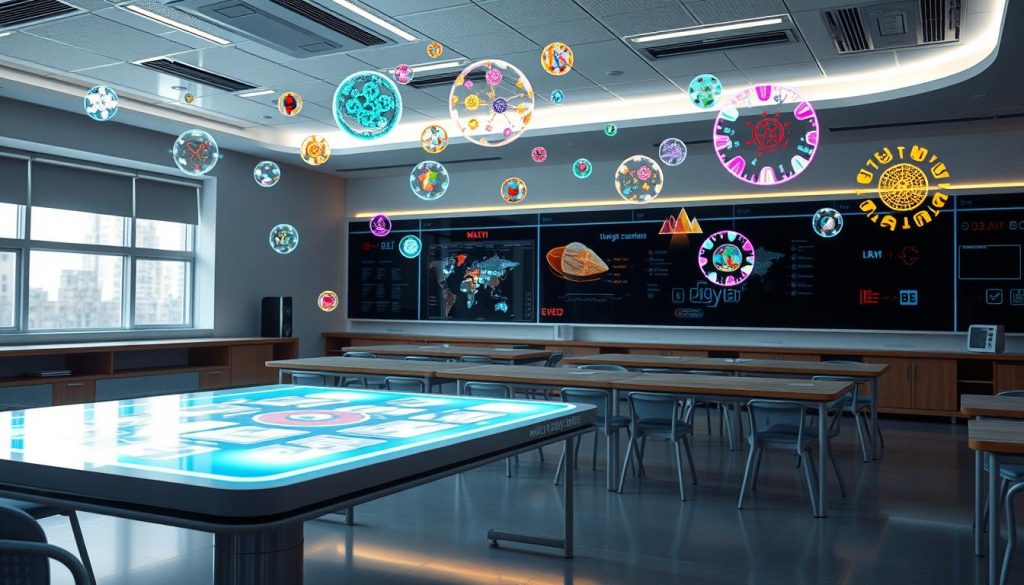
AI platforms use smart algorithms for personalized learning. They adapt to each student's needs, making learning more effective.
Students can master new skills faster with this approach. The platforms offer many helpful features.
These tools are changing how we learn. They help create courses faster and track student progress better.
AI is the backbone of suggestion engines on platforms like Amazon, Spotify, or Netflix. Now, it's revolutionizing how we learn.
AI's impact on education is huge. Many people will need new skills soon.
AI platforms offer quick ways to learn these skills. They help us grow in a changing world.
ChatGPT is changing how we learn. This AI tool helps both students and teachers.
I've seen it reshape our educational landscape. It's making a big impact.
ChatGPT uses smart language tech to answer student questions. It's like a brainy buddy ready to chat about any topic.
This AI tool explains tricky ideas simply. It makes learning easier for everyone.
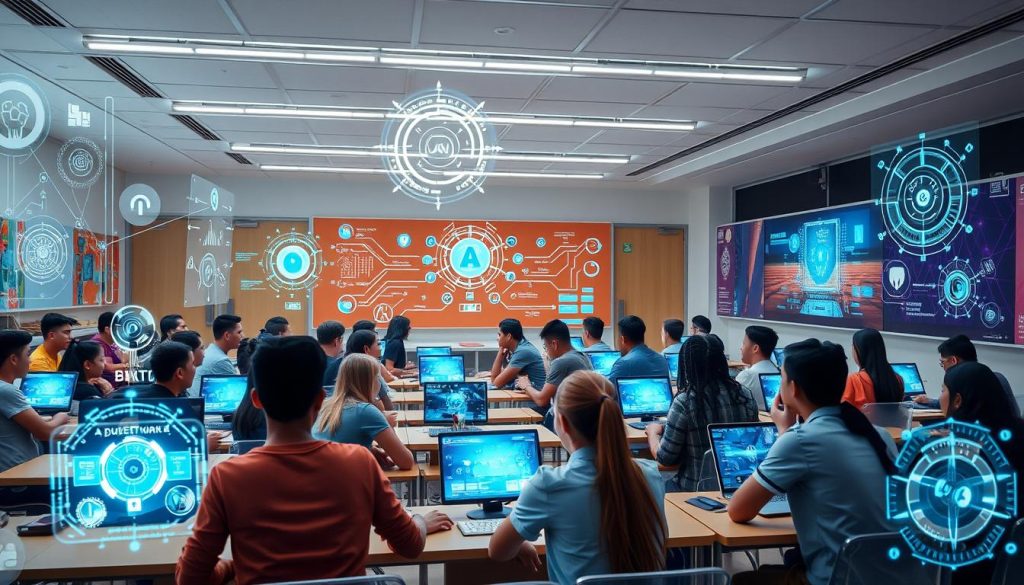
ChatGPT can give personal tutoring. It looks at how students learn and progress.
Then, it makes custom learning plans. This helps students learn at their own speed.
Learning doesn't stop after school with ChatGPT. It's always ready to help with questions.
It can assist with writing and research too. This ongoing support is great for students.
ChatGPT makes learning more fun and personal. It's easier to access information now.
As AI learning grows, we'll see more cool ways to learn.
While many are familiar with popular AI learning tools like ChatGPT and Perplexity, Google's learning.google.com stands out as a comprehensive, yet often overlooked, resource in the AI-enhanced learning ecosystem. This free platform serves as Google's central hub for digital skills education, offering a unique blend of structured learning paths and AI-powered personalization.
Unlike the conversational approach of ChatGPT or the research-focused nature of Perplexity, learning.google.com takes a more systematic approach to skill development. The platform offers carefully curated courses across various domains, from digital marketing to data analytics, with a particular emphasis on Google's own tools and technologies. What makes it especially relevant in the AI learning landscape is its adaptive learning system, which uses machine learning algorithms to personalize the learning experience based on user progress and preferences.
One of the platform's standout features is its integration with Google's AI-powered career tools. The system can analyze current job market trends and recommend specific learning paths that align with in-demand skills. This is particularly valuable for learners looking to upskill in AI-related fields or adapt to the rapidly evolving digital workplace.
The platform offers several key advantages:
While ChatGPT excels at providing immediate answers and Perplexity shines in research synthesis, learning.google.com focuses on structured, long-term skill development. The platform's AI components work behind the scenes to optimize the learning journey, rather than serving as the primary interface for information delivery.
For those specifically interested in AI education, the platform offers dedicated courses on machine learning, TensorFlow, and other AI-related technologies. These courses benefit from Google's extensive expertise in AI development and implementation, providing learners with both theoretical knowledge and practical applications.
As we continue to explore ways to leverage AI for learning, learning.google.com represents an important piece of the puzzle – one that combines traditional educational structure with modern AI-enhanced personalization. Whether you're looking to build specific technical skills or broaden your digital literacy, this platform offers a robust foundation for AI-assisted learning in the digital age.
In the evolving landscape of AI-powered learning tools, Perplexity stands out as a remarkable platform that's revolutionizing how we search for and process information. Unlike traditional search engines or even ChatGPT, Perplexity combines the power of real-time web searches with AI-driven comprehension to deliver accurate, sourced responses to your queries.
What sets Perplexity apart is its unique approach to information retrieval. When you ask a question, the platform doesn't just pull from a static knowledge base – it actively searches the internet, analyzes multiple sources, and synthesizes the information into coherent, well-structured answers. Each response comes with citations and links to source materials, allowing you to verify information and dive deeper into topics that interest you.
The platform offers two distinct modes: Focus Mode and Copilot Mode. Focus Mode provides direct, concise answers to specific questions, perfect for quick fact-checking or straightforward queries. Copilot Mode, on the other hand, enables a more interactive, conversation-style experience where you can explore topics in depth through follow-up questions and related discussions.
Compared to learning.google.com, which primarily focuses on structured courses and specific skills, Perplexity serves as a dynamic research assistant that can help you learn about virtually any topic. While ChatGPT excels at explaining concepts and generating content, Perplexity's real-time web search integration ensures you're getting the most current information available, making it particularly valuable for research and learning about recent developments.
One of Perplexity's most powerful features is its ability to handle complex, multi-part questions while maintaining context throughout the conversation. This makes it an excellent tool for students, researchers, and lifelong learners who need to explore topics from multiple angles or understand the relationships between different concepts.
The platform also offers a Pro version that includes features like GPT-4 integration, image generation, and custom AI models, enhancing its capabilities as a comprehensive learning tool. Whether you're conducting academic research, exploring a new hobby, or staying updated on current events, Perplexity provides a sophisticated yet user-friendly approach to AI-assisted learning.
In the context of learning anything with AI, Perplexity represents a significant step forward in how we can leverage artificial intelligence to enhance our understanding of the world. By combining the breadth of internet knowledge with advanced AI comprehension, it exemplifies how technology can make learning more efficient, accurate, and accessible than ever before.
AI-powered learning is changing education. Newark School District's program with Khanmigo shows digital tutoring's potential in classrooms.
Teachers use this tool to improve their methods. Leticia Colon and Cheryl Drakeford are leading the way.
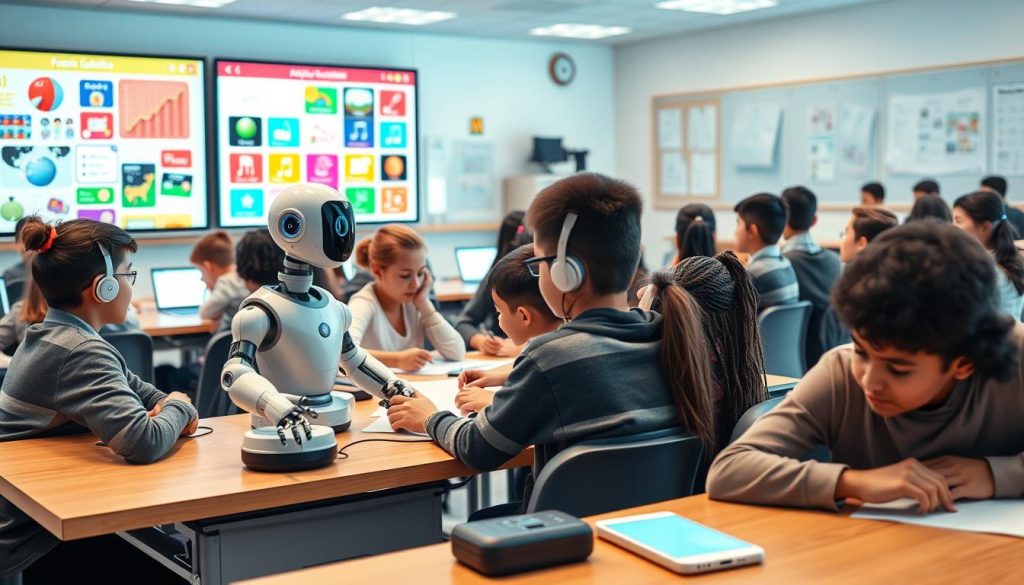
Self-paced education is key in this new frontier. AI assistants help students learn at their own speed.
Personal dashboards track progress. The Gates Foundation helps bring these tools to all students.
AI tutoring tools are now easier to make. Jill Watson took 1,000 hours to create.
New systems like Agent Smith only need 10 hours. This allows for more custom learning experiences.
AI brightens education's future. Korbit is making online courses with AI tutoring faster to create.
This tech opens doors to learning anything, anytime, anywhere.
"The evolution of instructional XR with AI is expected to provide personalized instruction for every child, creating true personalized learning experiences."
Only 4% of K-12 budgets go to education technology. There's huge room for growth in this area.
As we improve AI learning tools, we enter an exciting new era of education.
AI-assisted learning is changing education. It's reshaping how we learn and teach.
Let's explore the key AI learning benefits in education.
Self-paced education is a game-changer. AI lets me learn at my own speed.
This approach boosts student engagement by up to 30%. It's like having a tutor that fits my style.
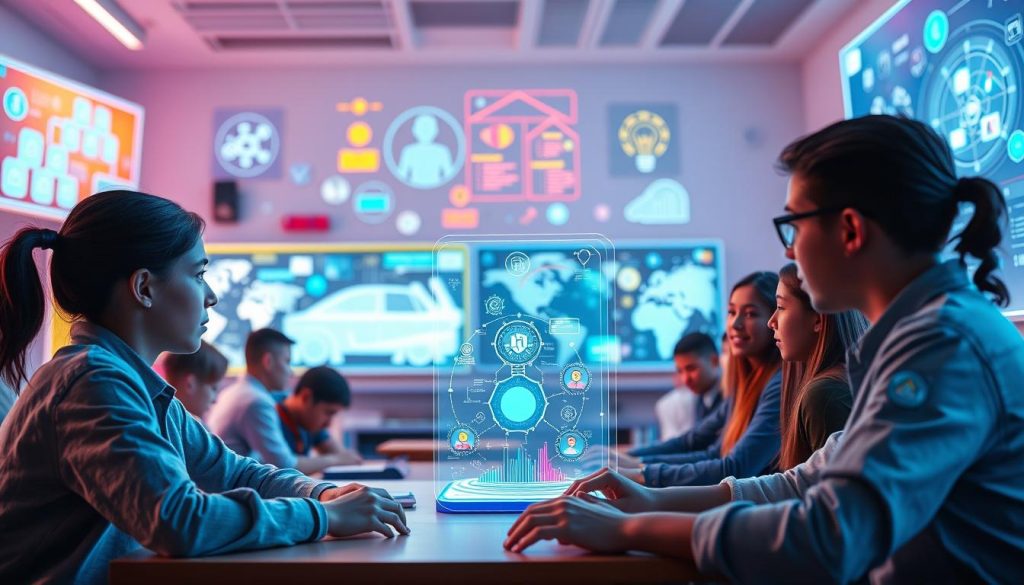
AI tools give instant feedback, helping me improve. This cuts academic gaps by 15%.
It's like having a teacher available 24/7 for help.
AI tailors content to my needs by analyzing my work. This boosts academic performance by 20%.
It's like having a custom curriculum that grows with me.
"AI in education is not just about technology; it's about unlocking the full potential of every learner."
AI is a tool to enhance, not replace, traditional teaching. The goal is to create a balanced learning environment.
This combines the best of both worlds for effective learning.
AI study tools have changed how I learn. They make studying more efficient and fun.
AI-powered education offers personalized learning. I use software that adjusts task difficulty to match my skills.
This approach makes my study sessions more productive. It also makes them less overwhelming.
Here are some ways I've integrated AI into my studies:
The results have been great. In Mrs. Henderson's class, AI tools boosted test scores by 20%.
This success made me want to try more AI study tools.
AI should be approached responsibly as a learning supplement, not a replacement for engagement with study materials.
Using AI study tools the right way is important. My school offers workshops on using AI for studying.
These workshops help me get the most out of AI tools.
AI tools have improved my learning in many ways. I'm excited to be part of this new way of studying!
AI is changing education, but human teachers are still crucial. Most teachers believe their main job is guiding and mentoring students.
AI tools give quick feedback and spot where students need help. However, teachers bring empathy and creativity that AI can't match.
Most teachers say adapting to students' needs is vital. This flexibility is something only humans can truly provide.
Teachers now help students work together in class. They use AI to spark discussions and group projects.
Some 10th graders use AI chatbots in small groups. This helps them get feedback as they learn.
AI and human teachers can create a balanced education. Teachers use AI for routine tasks, freeing time for teamwork.
This mix of tech and human touch helps students. They develop critical thinking and problem-solving skills for the future.
"Technology should not replace teachers, but AI can serve as a valuable tool in their toolkit to enhance teaching and learning experiences."
AI is a powerful tool, but human teachers are irreplaceable. They inspire, empathize, and adapt for well-rounded learning.
AI technology is changing education. It enhances learning experiences and boosts student success.
Let's explore how AI can help us achieve better learning outcomes.
AI tools analyze data to understand each learner's pace and needs. This allows for personalized learning goals that adapt as students progress.
AI-powered analytics provide real-time insights into student performance. This instant feedback helps identify strengths and areas for improvement.
It allows for quick adjustments to learning strategies.
AI excels at study optimization. It identifies the most effective learning methods for each student.
AI creates a more effective and engaging learning environment. The future of education is here, powered by AI.
AI-assisted learning has amazing potential but faces some hurdles. In 2023, 60% of teachers will use AI in classrooms.
This change puts digital literacy at the front of educational concerns. Both educators and students need to adapt to new technologies.
Data privacy is a big AI learning challenge. Nearly half of teachers worry about security in AI education.
Training on data protection and GDPR compliance is crucial. It helps handle student information responsibly.
Cheating and plagiarism are also pressing issues. About 70% of teachers worry students might misuse AI tools.
Ensuring inclusivity with AI is vital. We must assess AI tools and bridge the digital divide.
We can provide alternative learning pathways. This helps harness AI's power while addressing its challenges in education.
"The key to successful AI implementation in education lies in balancing innovation with ethical considerations and inclusivity."
The future of education depends on how we adapt to AI. We must address digital literacy, data privacy, and ethical concerns.
This will create a stronger and more inclusive AI-assisted learning environment.
AI education is growing fast. Most leaders see its benefits, but few schools use it yet.
This gap means big chances for growth. AI will change education in exciting ways.
Many teachers use AI daily. Soon, smart systems will give quick feedback to students.
These tools will make custom lessons. They'll fit each student's own speed.
AI will use data to help teachers. It can spot students who need help early.
This tech could make test scores much better. It will make study plans for each kid.
VR will make learning more fun. Kids might take virtual trips or see 3D models.
AI-powered VR will make classes more real. It will help all students learn better.
AI-powered learning uses artificial intelligence to enhance education. It offers personalized experiences and adapts to each student's needs.
These tools provide round-the-clock support, changing how we approach learning.
ChatGPT acts as a digital tutor, giving quick answers to questions. It helps with research, writing, and language learning.
It's like having a smart friend ready to help anytime.
AI-assisted learning lets you learn at your own pace. It gives instant feedback and adjusts to your needs.
You get personalized content based on how you perform and what you like.
AI-powered learning can't fully replace human teachers. Teachers are key for building empathy and critical thinking skills.
The best approach mixes AI tools with human interaction for complete learning.
Use platforms like ChatGPT for research and writing help. AI tools are great for learning languages too.
Try different AI tools to find what works best for you.
Challenges include ensuring digital literacy and addressing data privacy concerns. It's important to avoid relying too much on AI.
Use AI tools responsibly while developing your critical thinking skills.
AI gives detailed info on your performance and spots areas to improve. It suggests personalized resources to help you learn better.
This data-driven approach helps optimize study habits and set achievable goals.
Future AI trends include automated grading and virtual tutors. Advanced learning analytics and virtual reality for immersive learning are coming.
These innovations will change how we learn in exciting ways.
AI gives quick access to info and personal help anytime, anywhere. It adapts to different learning styles and paces.
This makes education more accessible for everyone.
Adaptive learning adjusts to each student's needs and pace. It uses smart algorithms to give custom learning experiences.
These systems analyze your work to offer tailored content and tips.
In today’s digital age, laptops have become essential tools for schoolwork, even for the youngest of students. Whether it’s for completing assignments, attending online classes, or researching projects, having the best laptop for homeschool, traditional school, or college, can make a huge difference in a child’s learning experience. But with so many options on the market, choosing the right laptop for your child can be overwhelming. You want something durable enough to withstand daily use (and, let’s be honest, the occasional drop), powerful enough to handle schoolwork, and easy to use so your child can focus on learning, not troubleshooting.
In this review, we’ll compare four popular laptops that are great choices for kids. We’ve selected these based on a range of factors important for school use: durability, ease of use, battery life, and price. Additionally, we’ll consider educational software compatibility and parental controls, which are crucial for ensuring a safe and productive learning environment.
Let’s explore the options and find the best laptop for your child’s school needs.
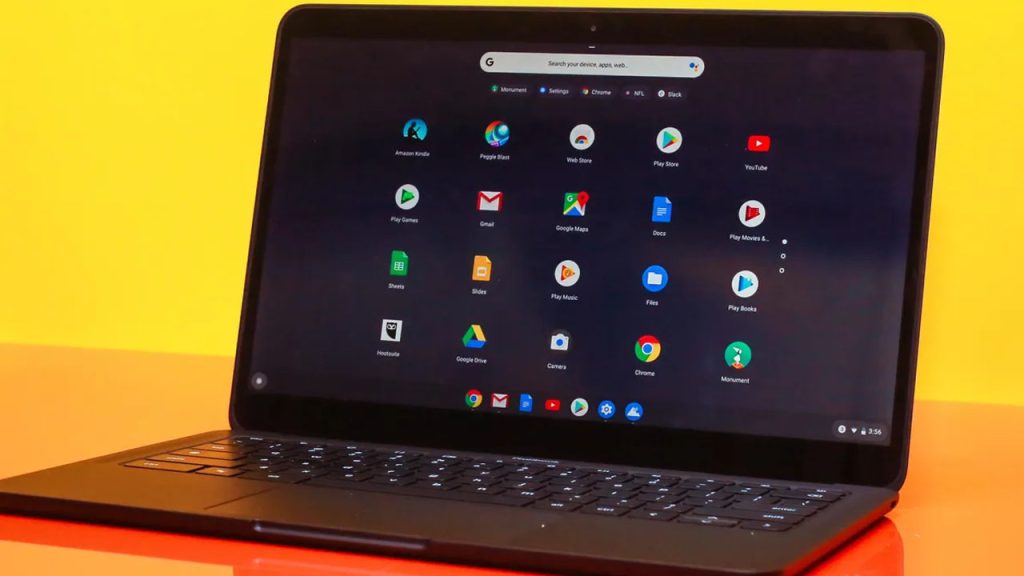
The Google Pixelbook Go is a lightweight and portable Chromebook designed with simplicity and efficiency in mind. It runs Chrome OS, Google’s streamlined operating system, which is known for being easy to use and secure—ideal for school-aged children. The Pixelbook Go boasts a 13.3-inch touchscreen display, making it a great size for both portability and usability. It comes with an Intel Core m3 processor, 8GB of RAM, and 64GB of storage, which is sufficient for most school tasks like browsing, typing documents, and streaming educational videos.
Key Specifications:
The Google Pixelbook Go is an excellent choice for children who need a reliable, easy-to-use laptop for everyday school tasks. It’s particularly well-suited for younger students in elementary or middle school who are primarily using web-based applications and don’t require extensive storage. Its long battery life and lightweight design also make it ideal for kids who need to carry their laptops between home and school.
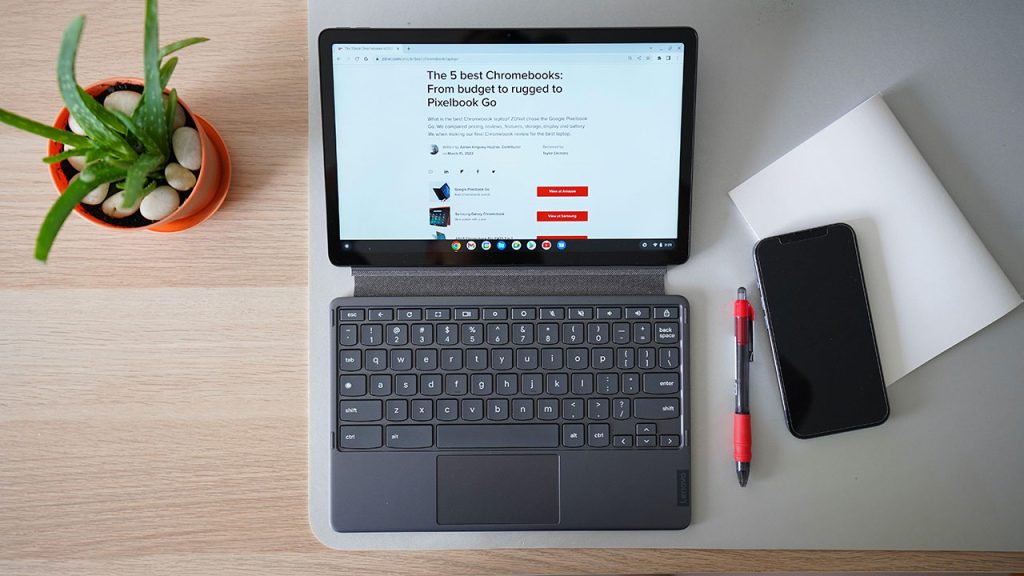
The Lenovo Chromebook Duet is a versatile 2-in-1 device that can function both as a laptop and a tablet, making it a unique option in the Chromebook market. It features a detachable keyboard, which allows kids to easily switch between typing out essays and using it as a touchscreen tablet for reading or drawing. The Duet is powered by a MediaTek Helio P60T processor, paired with 4GB of RAM, and offers 64GB of eMMC storage. While these specs are modest, they’re more than sufficient for the lightweight, web-centric tasks Chromebooks are designed for.
Key Specifications:
The Lenovo Chromebook Duet is ideal for younger students, particularly those in elementary school, who need a simple, affordable, and versatile device for light schoolwork. Its 2-in-1 design makes it perfect for kids who will benefit from the touchscreen functionality and portability. However, it may not be the best choice for older students who require more screen real estate or more powerful performance for their school tasks.

The Apple MacBook Air with the M1 chip, released in 2020, has set a new standard for performance and efficiency in lightweight laptops. While it’s a bit pricier than other options on this list, it offers exceptional power, making it a strong contender for students who need a reliable machine for more demanding school tasks. The MacBook Air features a 13.3-inch Retina display, 8GB of RAM, and a 256GB SSD, with the power of Apple’s M1 chip under the hood. It runs macOS, which offers a seamless user experience, especially for those already within the Apple ecosystem.
Key Specifications:
The Apple MacBook Air (M1, 2020) is an excellent choice for older students, particularly those in high school or college, who need a powerful and reliable machine for a broad range of tasks. It’s ideal for students who may be engaged in more demanding coursework, such as coding, graphic design, or video editing, and who appreciate the seamless integration with other Apple devices. While it’s more expensive, its performance and long-term value make it a worthwhile investment for serious students.

The Microsoft Surface Laptop Go 2 is a sleek and compact laptop designed to offer a premium feel at a more accessible price point. It combines the portability and design aesthetic of Microsoft’s Surface lineup with a focus on delivering good performance for everyday tasks. The Laptop Go 2 features a 12.4-inch PixelSense touchscreen display, an Intel Core i5 processor, 8GB of RAM, and a 128GB SSD. Running Windows 11, it provides a familiar interface for those accustomed to Windows, making it an excellent choice for school use.
Key Specifications:
The Microsoft Surface Laptop Go 2 is a great option for students who need a lightweight, stylish, and capable laptop for everyday school tasks. It’s particularly well-suited for middle school or high school students who value portability and don’t require the highest-end specs but still want a laptop that performs well for basic computing needs. Its integration with Windows 11 makes it a solid choice for those who prefer the familiarity and versatility of the Windows operating system.
Below is a side-by-side comparison of the four laptops we've reviewed, highlighting their key features, strengths, and potential drawbacks. This should help you quickly assess which laptop might be the best fit for your child’s needs.
| Feature | Google Pixelbook Go | Lenovo Chromebook Duet | Apple MacBook Air (M1, 2020) | Microsoft Surface Laptop Go 2 |
|---|---|---|---|---|
| Display | 13.3-inch Full HD touchscreen (1920 x 1080) | 10.1-inch Full HD touchscreen (1920 x 1200) | 13.3-inch Retina display (2560 x 1600) | 12.4-inch PixelSense touchscreen (1536 x 1024) |
| Processor | Intel Core m3 (8th Gen) | MediaTek Helio P60T | Apple M1 chip with 8-core CPU | Intel Core i5 (11th Gen) |
| RAM | 8GB | 4GB | 8GB (configurable to 16GB) | 8GB |
| Storage | 64GB eMMC | 64GB eMMC | 256GB SSD (configurable) | 128GB SSD |
| Operating System | Chrome OS | Chrome OS | macOS | Windows 11 |
| Battery Life | Up to 12 hours | Up to 10 hours | Up to 18 hours | Up to 13.5 hours |
| Weight | 2.3 pounds (1.04 kg) | 2.03 pounds (0.92 kg) with keyboard attached | 2.8 pounds (1.29 kg) | 2.48 pounds (1.12 kg) |
| Price | Mid-range | Budget | High-end | Mid-range |
| Pros | Excellent battery life, user-friendly, durable design | Affordable, 2-in-1 flexibility, portable | Outstanding performance, exceptional battery life, high-resolution display | Premium design, touchscreen, good performance |
| Cons | Limited storage, relatively expensive for a Chromebook | Small screen, limited performance, small keyboard | High price, limited port selection, not as rugged | Low-resolution display, limited storage, no backlit keyboard |
| Ideal Use Cases | Elementary & middle school students who need a reliable, easy-to-use laptop | Younger students who benefit from touch functionality and portability | High school & college students needing powerful performance and long battery life | Middle & high school students who want a stylish, portable, and capable Windows laptop |
Choosing the right laptop for your child can depend on a variety of factors, such as their age, the type of schoolwork they need to do, and your budget. Below, I’ve provided recommendations based on different scenarios to help you decide which of these four laptops might be the best choice.
Recommended Laptop: Lenovo Chromebook Duet
For younger students, particularly those in elementary school, the Lenovo Chromebook Duet stands out as an excellent choice. Its 2-in-1 design allows kids to use it as both a laptop and a tablet, which can be great for different learning activities. The touch screen can make interactive learning apps more engaging, and the affordable price makes it less of a burden on your wallet. The Duet’s compact size and lightweight design also make it easy for younger children to carry.
Why Choose It?
Recommended Laptop: Google Pixelbook Go
Middle school students need a bit more power and functionality as their schoolwork becomes more demanding. The Google Pixelbook Go is a fantastic option due to its combination of ease of use, portability, and solid performance. The durable design and excellent battery life ensure that it can withstand the rigors of daily school use. It’s perfect for students who need a reliable device for web-based applications and light computing tasks.
Why Choose It?
Recommended Laptop: Microsoft Surface Laptop Go 2
High school students often require a more versatile and powerful device that can handle a variety of tasks, from essay writing to more complex projects. The Microsoft Surface Laptop Go 2 offers a great balance between performance, portability, and design. It’s powerful enough to run multiple applications at once, thanks to its Intel Core i5 processor, and the touchscreen adds another layer of usability. Plus, its stylish design is sure to appeal to teenagers.
Why Choose It?
Recommended Laptop: Apple MacBook Air (M1, 2020)
For college students who might be dealing with more intensive tasks—such as coding, graphic design, or video editing—the Apple MacBook Air with the M1 chip is an excellent investment. It offers outstanding performance, incredible battery life, and a high-resolution Retina display, making it perfect for students who need a reliable, long-lasting laptop. The integration with other Apple products is a bonus for those already in the Apple ecosystem, and while it’s more expensive, its power and longevity make it worth the price.
Why Choose It?
When choosing a laptop for your child, it’s important to consider their specific needs and the type of work they’ll be doing. The Lenovo Chromebook Duet is a great starter device for younger children, while the Google Pixelbook Go offers a bit more power for middle schoolers. The Microsoft Surface Laptop Go 2 is ideal for high school students who need a balance of performance and portability, and the Apple MacBook Air is a powerhouse for college students or those engaged in more demanding coursework.
Ultimately, the best laptop for your child depends on their age, the complexity of their schoolwork, and your budget. Any of the laptops reviewed here would be a strong choice, each catering to different educational needs and learning environments.
Educational Technology, or "EdTech," refers to a broad category of digital resources and applications intended to improve teaching and learning. Technology integration in education has become crucial in today's fast-paced and tech-driven world. Educational technology tools for students, offer an engaging, interactive, and personalized approach to learning, making complex concepts more accessible and enjoyable. While implementing EdTech has many advantages, it also has drawbacks, such as ensuring privacy and protecting personal information. This article thoroughly overviews educational technology's role in contemporary education by examining its evolution and its many tools, advantages, difficulties, and future possibilities.
Key Takeaways:
Historical Context
The journey of educational technology (EdTech) began long before the advent of digital devices. Early forms of educational tools included chalkboards, textbooks, and overhead projectors. These tools laid the foundation for more sophisticated technological advancements to enhance the learning experience.
Key Milestones in EdTech Development
| Year | Milestone | Description |
| 1920s | Radio in Education | Radio programs were used to broadcast educational content to a broader audience. |
| 1950s | Television in Classrooms | Educational TV programs began to be used as teaching tools. |
| 1960s | Mainframe Computers | Early computers were introduced in universities for research and education. |
| 1980s | Personal Computers (PCs) | PCs became more accessible, leading to the development of computer-based learning. |
| 1990s | Internet and World Wide Web | The internet revolutionized access to information and online learning. |
| 2000s | Mobile Technology and Apps | Smartphones and educational apps began to shape modern learning. |
| 2010s | Artificial Intelligence (AI) and VR | AI-driven tools and VR started to be used for immersive and personalized learning. |
Current Trends and Innovations
The rapid integration of advanced technologies characterizes today's EdTech landscape. Key trends include:
Learning Management Systems (LMS)
Teachers can design, manage, and deliver curriculum, monitor student progress, and help students and teachers communicate using LMS systems such as Moodle, Canvas, and Google Classroom. These systems provide analytics, grading, and assessment capabilities, facilitating blended learning.
Educational Apps and Games
Educational apps and games, like Duolingo, Khan Academy, and ABCmouse, provide children with interactive and engaging learning experiences. These tools often use gamification techniques to motivate learners and cover various subjects, from languages to mathematics.
Interactive Whiteboards and Smartboards
Interactive whiteboards and smartboards, such as SMART Board and Promethean, replace traditional blackboards with touch-sensitive screens. They allow teachers to display multimedia content, annotate in real time, and engage students through interactive lessons.
Augmented Reality (AR) and Virtual Reality (VR)
AR and VR technologies offer immersive learning experiences. Tools like Google Expeditions and Oculus VR allow students to explore virtual environments, conduct virtual science experiments, and experience historical events as if they were there.
Artificial Intelligence (AI) and Machine Learning (ML) in Education
AI and ML are revolutionizing education by providing personalized learning experiences. Adaptive learning platforms, like DreamBox and Knewton, analyze student performance and adjust content delivery to meet individual learning needs. AI-powered chatbots and virtual tutors offer additional support outside the classroom.
Types of Educational Technology Tools
| Tool Type | Examples | Benefits |
| Learning Management Systems | Moodle, Canvas, Google Classroom | Streamlined content delivery, tracking, and communication. |
| Educational Apps and Games | Duolingo, Khan Academy, ABCmouse | Interactive, engaging, and subject-specific learning. |
| Interactive Whiteboards | SMART Board, Promethean | Interactive lessons, multimedia content, real-time annotations. |
| AR and VR | Google Expeditions, Oculus VR | Immersive learning, virtual field trips, hands-on experiments. |
| AI and ML in Education | DreamBox, Knewton | Personalized learning, adaptive content, virtual tutoring. |
Personalized Learning Experiences
Educational technology allows tailored learning experiences that adapt to each child's pace and learning style. Adaptive learning platforms use algorithms to assess students' strengths and weaknesses, providing customized lessons that address individual needs. This personalizing promotes a deeper comprehension of the subject matter and aids in students' conceptual grasp.
Enhanced Engagement and Motivation
Interactive games and multimedia materials are examples of EdTech technologies that enhance and elevate learning. Gamification strategies, such as leaderboards, badges, and prizes, encourage students to finish assignments and meet their learning objectives. Because these resources are interactive, students maintain interest in and commitment to their education.
Access to a Wealth of Information and Resources
The Internet and digital libraries provide students with vast amounts of information at their fingertips. Educational apps and websites offer diverse resources, from videos and articles to simulations and quizzes. With this access, students can research, explore topics, and develop a more comprehensive understanding of various subjects.
Development of 21st Century Skills
Educational technology helps students develop critical 21st-century skills such as digital literacy, problem-solving, collaboration, and creativity. Students learn to navigate digital environments, work in teams, and think critically about problems and solutions using tools like coding platforms, virtual labs, and collaborative software.
Support for Special Educational Needs
EdTech offers valuable support for students with special educational needs by providing assistive technologies and customized learning experiences. Tools like text-to-speech software, interactive lessons, and sensory-friendly apps help students with disabilities engage with the material in ways that suit their unique needs.
Benefits of Educational Technology for Kids
| Benefit | Description | Examples |
| Personalized Learning Experiences | Tailored lessons that adapt to individual learning styles and paces. | Adaptive learning platforms like DreamBox, Knewton |
| Enhanced Engagement and Motivation | Interactive and gamified content that keeps students interested. | Educational games like Kahoot, Duolingo |
| Access to Information and Resources | Vast digital libraries and resources for in-depth exploration. | Online encyclopedias, Khan Academy |
| Development of 21st Century Skills | Skills include critical thinking, teamwork, and digital literacy. | Coding platforms, virtual labs |
| Support for Special Educational Needs | Assistive technologies and customized learning experiences for students with disabilities. | Text-to-speech software, sensory-friendly apps |
Screen Time and Health Concerns
One of the main issues is the amount of screen time that EdTech requires. Long-term usage of digital gadgets can cause sedentary behavior, sleep disturbances, and eye strain. A comprehensive educational experience necessitates striking a balance between screen-based learning, physical exercise, and interpersonal contact.
Digital Divide and Accessibility
The digital divide refers to the gap between those with access to technology and those without access. Students from low-income families or rural areas may lack access to reliable internet and digital devices, exacerbating educational inequalities. Ensuring equitable access to EdTech is essential for providing all students with the same learning opportunities.
Data Privacy and Security
With the growing use of digital tools, safeguarding the security and privacy of student data is becoming increasingly important. EdTech companies and schools must implement strong security measures to protect student data and adhere to privacy laws. Parents and educators must take precautions to safeguard pupils' data and be informed of potential hazards.
Teacher Training and Professional Development
Effective integration of EdTech requires teachers to use digital tools and understand their pedagogical implications proficiently. Sufficient training and ongoing professional development are necessary to give educators the tools to use technology efficiently. Without proper training, the potential benefits of EdTech may not be fully realized.
Balancing Traditional and Technological Methods
Even though EdTech has many benefits, it is essential to balance its use with conventional teaching techniques. In-person contacts, learning experiences, and hands-on activities are crucial for a well-rounded education. Finding the ideal balance guarantees that technology complements conventional learning experiences rather than takes their place.
Challenges and Considerations
| Challenge | Description | Considerations |
| Screen Time and Health Concerns | Health problems, including eye strain and disturbed sleep, can result from excessive screen usage. | Balance screen-based learning with physical activity |
| Digital Divide and Accessibility | Inequitable access to technology exacerbates educational inequalities. | Ensure that everyone has access to gadgets and the internet. |
| Data Privacy and Security | Protecting students' personal information from breaches and misuse. | Implement robust security measures. |
| Teacher Training and Development | Teachers need ongoing training to use EdTech tools effectively. | Invest in professional development programs. |
| Balancing Traditional Methods | Maintaining a mix of technology and traditional teaching methods. | Ensure technology complements, not replaces, traditional learning. |
Best Practices for Schools and Educators
Successful implementation of educational technology requires thoughtful planning and execution. Schools and educators should:
Parental Involvement and Support
Parental involvement is crucial for the successful integration of EdTech. Parents can support their children's learning by:
Continuous Evaluation and Feedback
Continuous evaluation and feedback are essential to ensure the effectiveness of EdTech. Schools should:
Case Studies of Successful EdTech Integration
Emerging Technologies and Their Potential Impact
Predictions for the Next Decade
In the next decade, educational technology is expected to:
Preparing Kids for a Tech-Driven Future
To prepare kids for a tech-driven future, education systems should focus on:
What is educational technology, and why is it important for kids?
Educational technology, or EdTech, uses digital tools and resources to enhance teaching and learning processes. It is essential for kids because it provides personalized learning experiences, fosters engagement, and helps develop crucial 21st-century skills.
How can educational technology support children with special educational needs?
EdTech can help by offering personalized learning plans, interactive and adaptive software, and tools that cater to various learning styles and disabilities. This allows for more inclusive and practical education.
What are some popular educational apps and tools for kids?
Some popular educational apps and tools for kids include Khan Academy, Duolingo, ABCmouse, Scratch, and Google Classroom. These online resources provide a variety of topics and interactive exercises to make learning enjoyable and exciting.
How can parents ensure their children use educational technology safely and effectively?
By establishing screen time limits, keeping an eye on their kids' online activities, selecting age-appropriate and instructive content, and having conversations with their kids about what they've learned, parents can guarantee the safe and efficient use of EdTech.
What are the main challenges associated with integrating educational technology in schools?
The primary obstacles are ensuring that every student has equitable access to technology, resolving data privacy and security issues, offering sufficient teacher preparation, and striking a balance between conventional teaching techniques and cutting-edge technological innovations.
Educational technology has transformed the learning landscape, offering personalized, engaging, and accessible student experiences. The evolution of EdTech, from early radio broadcasts to advanced AI and VR tools, highlights its potential to revolutionize education. While the benefits are substantial, including enhanced engagement, development of critical skills, and support for special educational needs, challenges such as screen time, digital divide, and data privacy must be addressed.
Successful implementation requires a strategic approach involving best practices for schools, parental involvement, continuous evaluation, and learning from successful case studies. Emerging technologies promise further advancements, making education more personalized, collaborative, and accessible. Preparing students for a tech-driven future involves fostering digital literacy, critical thinking, and ethical technology use.
By leveraging EdTech's power while addressing its challenges, educators can create dynamic and inclusive learning environments that equip students with the skills needed to succeed in the 21st century.
