


Minecraft Realms lets players from all over the world join in. They can build, explore, and survive together. This guide is full of tips to make your adventures even better. It doesn't matter if you're just starting or if you've played a lot. You'll learn things that will make your Minecraft time great.
You'll start by making your first tools. Then, you'll move on to build big, cool things with redstone. We'll also talk about collecting resources and fighting off dangerous mobs. And, you’ll learn how to play with friends in amazing worlds.
Key Takeaways
- Minecraft Realms is available on multiple platforms, including Windows 10, Pocket Edition, and PC/Mac
- Only invited players can join Realms, ensuring privacy and controlled access
- Regular backups are crucial for preserving your worlds and creations
- Realms offer flexibility with options to reset and start fresh
- Redstone allows for creation of complex machines and contraptions
- The guide covers a wide range of topics from basic gameplay to advanced techniques
- Customization options include add-ons, behavior packs, and resource packs
Getting Started with Minecraft Realms
Minecraft Realms brings online fun to players of Java and Bedrock Editions. Learn all about Realms, setting up, and inviting friends to join your world.
What is Minecraft Realms?
Minecraft Realms is a special space that's always there for you and your friends to play safely. It works for Java and Bedrock Editions, each with its own cool stuff.
- Bedrock Edition: Choose Realms (for you and 2 friends) or Realms Plus (for more friends)
- Java Edition: You get 3 world slots to play with up to 10 friends
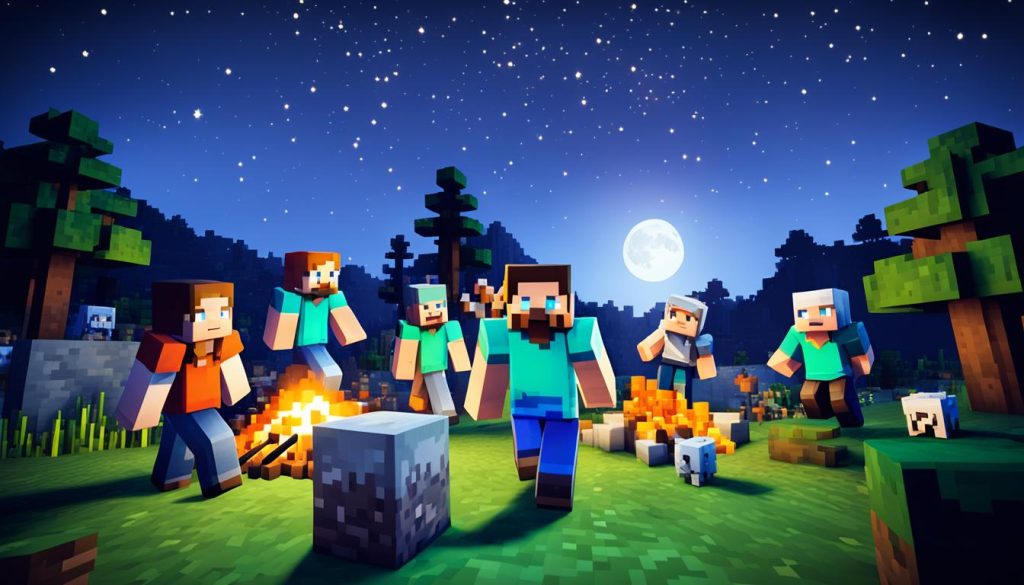
Setting up your Realm
It's easy to start your Realm. Just follow these steps:
- Start Minecraft and find the Realms button
- Pick your subscription
- Make a new world or bring in an old one
- Set up how you want to play
If you have Java Edition, you can try it free for 30 days. Just click the blue diamond when you go to Realms. This lets you check out the features without paying first.
Inviting friends to your Realm
Now, let's get your friends into the fun:
- For Bedrock Edition, invite with Xbox Live names
- For Java, use their Minecraft usernames
In Bedrock, up to 10 friends can play. The Java version also allows 10 players on 3 worlds. You can all explore special content together, like mods and fun maps.
"Minecraft Realms brings friends together in a safe, always-accessible world where creativity knows no bounds."
Realms makes playing with friends easy. With backups and world downloads, you don't have to worry. It's perfect for making big builds or going on big quests together.
Essential Survival Strategies
Starting Minecraft survival mode means knowing important strategies. We'll cover key steps to do well in your Realm. This includes your first day and making a safe base.
First Day Priorities
Early hours in Minecraft are important. Think about these things first:
- Gather wood for crafting basics
- Create a Crafting Table
- Craft wooden tools (pickaxe, axe, and sword)
- Collect food sources
- Find shelter before nightfall
Building a Secure Base
Your base is your safety in Minecraft. Some tips for a good base:
- Choose a good spot
- Use strong materials like stone or wood
- Put up lights to stop mobs spawning
- Make a fence or wall around your base
- Have space for your stuff
Gathering Resources Efficiently
To move ahead in Minecraft, you need resources. Here are some ways to get them:
| Resource | Gathering Method | Tool |
|---|---|---|
| Wood | Chop trees | Axe |
| Stone | Mine surface rocks | Pickaxe |
| Coal | Look on hills | Pickaxe |
| Iron | Mine under Y-level 63 | Stone Pickaxe |
As you go on, make sure to get better tools. This helps you gather resources faster and use time better in Minecraft.
"Your imagination is all you need in Minecraft. Plan well, gather wisely, and you will thrive."
By using these strategies, you're ready for Minecraft adventures. Enjoy building and exploring!
Crafting and Resource Management
Get good at crafting and using resources to do well in Minecraft Realms. Learning from a Minecraft crafting guide is the first step. We will show you how to create tools, handle resources, and build productive setups.
In Minecraft, the key is crafting. You make tools, weapons, and armor from different things. Begin with basic wooden tools. Then, as you find more stuff, make better ones from stone, iron, and diamond. Make a crafting table early to craft more things.
It's important to gather resources to survive. Build farms for food, wool, and other needs. Let's start with a guide:
- Wheat farm: Till soil near water, plant seeds, and harvest when fully grown
- Tree farm: Plant saplings in rows, use bone meal to speed up growth
- Animal farm: Fence in animals, breed them using their favorite foods
- Mob farm: Create dark rooms to spawn hostile mobs, use water streams to collect drops
Don't forget about smelting. Use furnaces to melt ores and cook food. Remember, iron, gold, and more need smelting first. Here’s a tip: Lava buckets are great for longer fuel times.
"Efficient storage and automated farms are game-changers in Minecraft Realms. They free up time for exploration and building."
Now, let's talk about keeping things organized:
| Storage Type | Capacity | Best For |
|---|---|---|
| Chest | 27 slots | General storage |
| Double Chest | 54 slots | Bulk storage |
| Shulker Box | 27 slots (portable) | Mobile storage |
| Barrel | 27 slots | Compact storage |
In Minecraft Realms, managing resources is fun yet challenging. With updates and a lively community, there's always more to craft and find. Keep exploring and perfecting your skills to be the best!
Exploring the Minecraft World
Venturing into Minecraft shows a world of adventure. You can find over 60 biomes. Each one is unique, offering special things to explore in your Realm.
Biome Exploration Tips
When you explore biomes in Minecraft, remember these tips:
- Pack plenty of food, as your hunger bar depletes faster during exploration
- Bring essential tools and weapons for resource gathering and protection
- Use coordinates to track your location and find your way back home
- Create temporary shelters in new biomes for safety during nighttime
Finding Valuable Structures
Seeking treasure in Minecraft can be fun and rewarding. Look for these special places:
- Villages: Great for trading and gathering supplies
- Desert temples: Hidden treasures beneath the sandstone floors
- Jungle temples: Tricky traps guard precious loot
- Shipwrecks: Underwater vessels with maps and treasures
Navigating Caves and Ravines
Exploring caves in Minecraft can be thrilling. Use these tips for safe exploring underground:
- Bring plenty of torches to light your way and prevent mob spawning
- Use a water bucket for quick escapes or to create paths
- Listen for sounds of mobs or running water to locate unexplored areas
- Mine at Y-coordinate levels between -64 and 32 for the best chance of finding diamonds
| Resource | Best Y-Coordinate Level | Biome Preference |
|---|---|---|
| Diamond Ore | -59 to 16 | All underground biomes |
| Gold Ore | -64 to 32 | Badlands (surface level) |
| Ancient Debris | 8 to 22 | Nether only |
Remember, caves in Minecraft can be dangerous. Always carry a shield and watch your step. Happy exploring, and may your Minecraft Realm be filled with great finds!
Advanced Building Techniques
Minecraft lets you create anything you dream of. Learning advanced building tricks makes your worlds incredible. Here are some tips to make your Minecraft creatinos stand out.
Start by picking a set of base blocks. For small things, choose 4-5. For big projects, you might need up to 30. Mix block types to make things interesting. Try using smooth stone, cobblestone, and andesite together for a nice mix.
Try to give your buildings some depth. Use stairs, slabs, and fences to add layers to walls. This makes your buildings more visually appealing. Remember, it's about the details, not just how big something is.
- Create custom paths between buildings for cohesion
- Add smaller features like ponds or benches for atmosphere
- Design custom trees to enhance the area visually
- Craft detailed interiors to elevate your builds
Make your builds blend in with the world around them. Change the landscape to make your build look like it belongs there. This makes your creation look more natural and beautiful.
"The key to great Minecraft architecture is balancing creativity with practicality. Don't be afraid to think outside the box, but always consider how your build fits into the overall world."
For big projects, tools like WorldEdit and Voxel Sniper can be very helpful. But, don't forget, traditional building methods are still important. With practice, you can do amazing things with both.
| Building Aspect | Beginner Tip | Advanced Technique |
|---|---|---|
| Wall Design | Use a single block type | Mix similar blocks for texture |
| Detailing | Add simple window frames | Incorporate depth with stairs and slabs |
| Landscaping | Plant basic trees | Create custom trees and terrain |
| Interior Design | Place essential furniture | Use unconventional blocks for unique decor |
Don't be afraid to get tips from other builders. The Minecraft community has many people ready to help. Keep practicing and trying new things. Soon, your worlds will be full of amazing creations.
Minecraft Realms: Multiplayer Features
In Minecraft Realms, you can play with others in new ways. It's great for friends working together. You can choose from different subscriptions to start your adventure.
Collaborating with Friends
Realms offers many ways to play together. If you use the Bedrock Edition, you can pick from two subscriptions:
- Realms subscription: Play with 2 friends
- Realms Plus subscription: Enjoy gameplay with up to 10 friends
Java Edition Realms has 3 world slots. Each can have up to 10 players. This lets you have special adventures within one subscription.
Setting Up Community Projects
Both Realms Plus and Java Realms have cool stuff for projects:
- Realms Plus: Access to 150+ content pieces
- Java Realms: 100+ community-created content available
You’ll find adventure maps, fun minigames, and amazing builds. They are perfect to get ideas or start new projects. It helps bring out creativity and teamwork in players.
Organizing Events and Competitions
Java Realms lets you set up fun events easily. You can use different world slots for various activities:
- Survival challenges
- Building contests
- Custom minigames
There are regular backups on Java Realms servers. This means events and competition creations are always safe.
"Minecraft Realms brings players together, turning solitary block-building into shared adventures and friendly competitions."
New to Realms? Get a 30-day free trial in Java Realms. Whether you want to work on big builds, create farms with friends, or start building contests, Realms has all you need.
Redstone Contraptions for Efficiency
Minecraft redstone brings lots of automation fun. You can make cool contraptions to do things easier and better in your world. With redstone, your creations can do more than you think.
Let's look at some redstone contraptions and how hard they are to build:
| Contraption | Difficulty Level |
|---|---|
| Villager Breeder | 2/5 |
| Block Swapper | 1/5 |
| Cocoa Bean Farm | 1/5 |
| Iron Golem Farm | 1/5 |
| Automatic Wool Farm | 1/5 |
If you're new, start with easy stuff like piston doors or cooking chicken automatically. These are good for learning how redstone works. Plus, they help out in your Minecraft world.
Later, try harder things as you get better:
- Automatic sorting systems
- Efficient crop farms
- Redstone-powered elevators
- Automated smelters
Remeber, redstone can only go so far without help. Things like repeaters can make signals go further. Also, try different power ways like levers or buttons. this makes contraptions more useful.
Redstone is what makes Minecraft really amazing. With some learning and creativity, you can make your game way better with automatic stuff.
First, try your creations in Creative Mode. This way, you can make them work better and use less stuff. Keep at it, and you'll be a redstone master in no time!
Combat and Mob Management
Knowing how to fight and deal with mobs is key in Minecraft. We'll talk about fighting hostile mobs. And we'll see how to make good mob farms.
Effective Combat Strategies
In Minecraft, you handle mobs in different ways. Zombies move slowly, so they're easy to hit. But Skeletons shoot from afar, so use a shield to block and get close.
- Use weapons with Smite enchantment against undead mobs
- Employ ranged weapons for safer engagements
- Utilize swords, axes, tridents, bows, and crossbows for varied combat
Dealing with Hostile Mobs
Each bad mob in Minecraft acts and can be hurt in its way. Creepers explode and hurt you a lot. Even the best armor won't protect you much. Husks in deserts make you hungry and survive in the day.
| Mob | Behavior | Combat Tip |
|---|---|---|
| Zombie | Slow, melee attacks | Easy to outmaneuver |
| Skeleton | Ranged attacks | Use shields, close distance quickly |
| Creeper | Explodes when close | Keep distance, use ranged attacks |
| Husk | Inflicts hunger, immune to sunlight | Engage with caution in deserts |
Creating Mob Farms
Making a mob farm is smart in Minecraft. It gives you stuff and XP. Knowing how mobs spawn helps make better farms.
To start a mob farm:
- Make a dark room above the ground.
- Use water to bring mobs to you.
- Set up a place to collect and kill them.
- Keep your farm lit to stop bad mobs from spawning.
Each place spawns its mobs. Adjust your farm to get what you want. This gives you the best stuff.
"Effective mob management is the cornerstone of successful Minecraft survival. Master these techniques, and you'll thrive in even the most challenging environments."
Enchanting and Potion Brewing
In Minecraft, enchantments and potion brewing make your game stronger in Minecraft Realms. Enchanting tables let you give tools, weapons, and armor special powers. These powers can make them tougher, work better, and do more damage.
Brewing potions is super fun. With a brewing stand, you can make potions that do cool things. For example, the Potion of Strength adds three points to your attack. The Potion of Swiftness makes you 20% faster. The Potion of Water Breathing is great for diving, and the Potion of Fire Resistance protects you in lava for eight minutes. This is very useful for exploring the Nether.
Start with Blaze Powder to power up your brewing stand. Nether Wart is needed to make a base potion. Add things like Glistering Melon or Sugar for various effects. Add Redstone to make them last longer, and Glowstone to make them stronger. You can even turn potions into splash potions with Gunpowder. This is great for helping others or in fights.
FAQ
What is Minecraft Realms?
Minecraft Realms is a special online place. It's made by Mojang Studios. Here, up to 10 friends can have their own private Minecraft worlds. It's safe and you can go there anytime.
How do I set up a Realm?
You can make a Realm by subscribing in the game. You need an Xbox Live account for Bedrock Edition. For Java Edition, you use your Minecraft username.
What are the first priorities on the first day in Minecraft Realms?
On day one, gather wood, make tools, and find food. It's important to build a strong base. This keeps you safe from bad mobs.
How can I explore effectively in Minecraft Realms?
Exploring helps you find new things. Get ready before going to new places. Be careful in caves and gather lots of ore and resources.
How can I collaborate with friends in Minecraft Realms?
Use Realms for fun group projects. Work together, share stuff, and make cool places. This makes your Realm even better.
What are redstone contraptions, and how can they help me?
Redstone acts like electricity in Minecraft. It lets you make cool machines. These can help with gathering resources and managing your base better.
How can I improve my combat skills in Minecraft Realms?
Learn to fight bad mobs well. Making mob farms gives you resources and XP. Know about mobs and you'll do better.
What are enchantments and potions, and how can they benefit me?
Enchantments and potions make your tools better. They give you special powers. Learning to use them well makes you stronger in the game.